PhotoStudio
Make thrift store photos listing ready.
Send a photo from your analysis straight into PhotoStudio. Crop it, fix the light, size it for the marketplace and export. Paid plans remove the background with AI.
- eBay preset, plus Poshmark, Depop, Mercari
- 1600 pxeBay preset, plus Poshmark, Depop, Mercari
- export, or a ZIP on paid plans
- JPG, PNGexport, or a ZIP on paid plans
- iPhone and Android too
- Web + appsiPhone and Android too
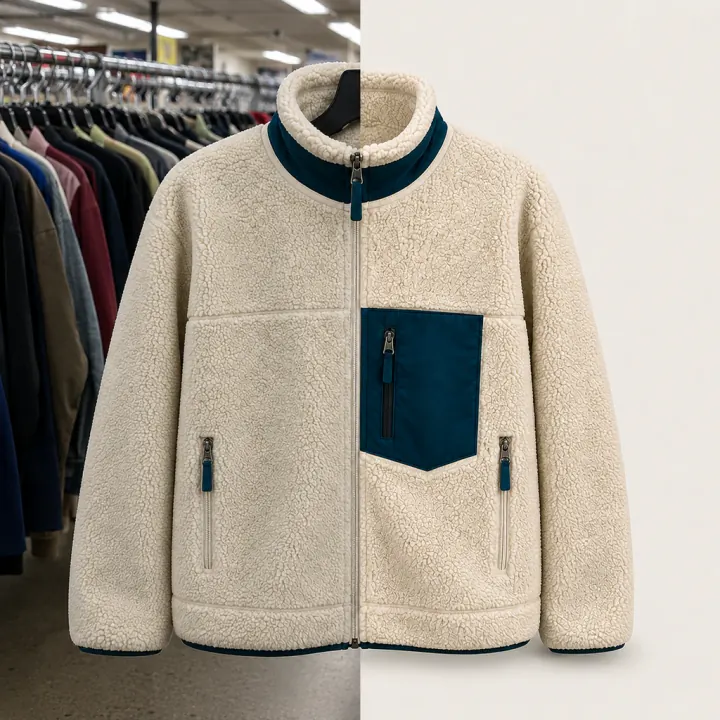
How it works
From store shot to listing photo.
- 01
Bring in the photo
Straight from an analysis or your inventory, or from your camera roll.
- 02
Fix it
Crop to square or 4:5, straighten, and adjust brightness, contrast, warmth and sharpness. Or tap auto-enhance.
- 03
Size it and save
Pick the marketplace preset and download a JPG or PNG. On your phone it saves to your photos.
PhotoStudio
The edits listings need
Crop and straighten
Square, 4:5, 4:3 or the original shape. Rotate, flip and level a crooked shot.
Light and color
Brightness, contrast, saturation, warmth, sharpness and clarity, or one-tap auto-enhance.
Marketplace sizes
Presets for eBay (1600 px), Poshmark (1200 px), Depop (1280 px) and Mercari (1200 px), or a custom size.
Marketplace Clean look
A tone preset made for product photos, plus background color presets.
AI background removal
Paid plansLift the item off a messy store background in one tap. Uses 1 credit per photo.
More looks
Paid plansBright & Airy, Bold & Punchy and Cool Neutral presets, and any background color you want.
Batch Apply and ZIP export
Paid plansCopy your edits to every photo of the item, then export them all in one ZIP.
Flaw pins
Paid plansMark flaws right on the photo so buyers see them before they ask.

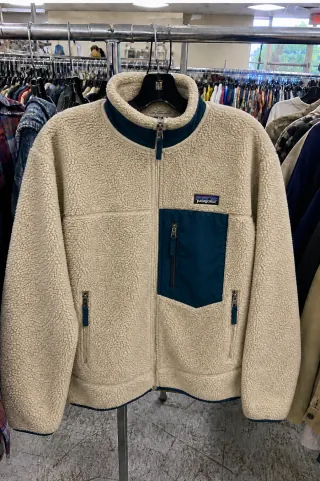
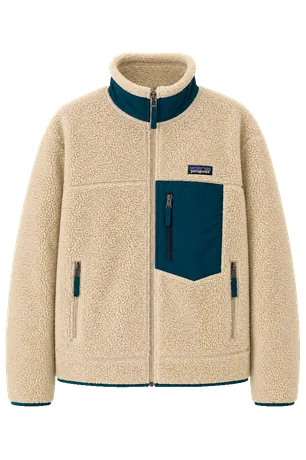 Background removed
Presets
Marketplace CleanRemove background
Paid plan · 1 credit
Trim image
Crop · Original
Platform presets
1600 × 1600Poshmark
1200 × 1200Original
No resize
Inside PhotoStudio
From the analysis to a clean photo, without starting over.
The photos you took for the check are already there. Edit, size and export in the same app you used to decide on the buy.
- Edits stay light, color and framing
- Size presets per marketplace
- Saves to your photos on iPhone and Android
Free and paid
What you get on each plan.
On the free plan
- Crop, straighten and rotate
- Light and color, auto-enhance
- Marketplace size presets
- JPG and PNG export
Paid plans add
- AI background removal, 1 credit per photo
- Extra tone presets and custom backgrounds
- Batch Apply and ZIP export
- Flaw pins
What it doesn’t do
- It doesn’t change the item itself. Edits are light, color and framing, so the photo stays honest.
- It isn’t a full design app. It does the edits a listing needs and stops there.
Reviews
In their words.
Reviews from resellers on the App Store, Trustpilot and the Chrome Web Store, word for word.
“It saves so much time and completely removes the guesswork.”
“Underpriced instantly became one of my must-have tools. You just open any listing and it breaks everything down for you…”
“I’ve already avoided a couple of overpriced items and found some great deals I wouldn’t have noticed on my own.”
Read more reviews:TrustpilotApp StoreGoogle PlayChrome Web Store
Edit a photo freeQuestions
PhotoStudio, answered.
From the store rack to a clean photo.
Your first 5 checks are free. No card needed.