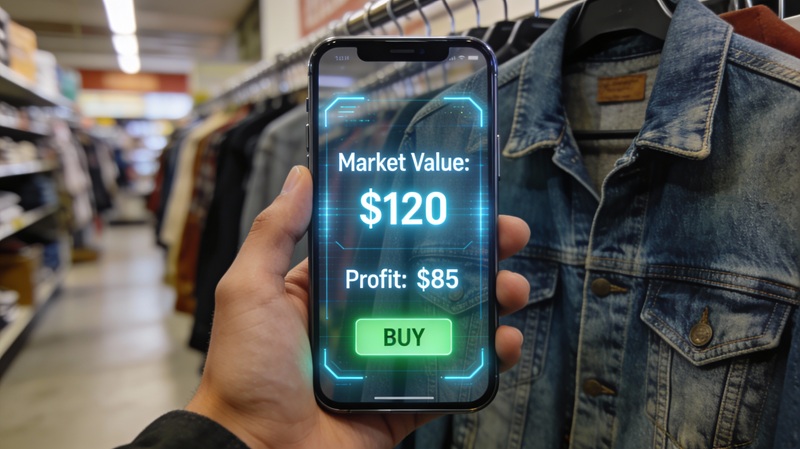
Reselling apps get expensive fast. This reseller app guide shows you which tools actually save time, protect margin, and earn their monthly cost back.
I tested the common options against the real problems resellers hit every week: overpaying on buys, listing the same item too many times, missing mileage, and paying for software that never changes the bottom line.
The right stack is usually smaller than people think. Most resellers do not need an app for everything. They need one tool for buy-or-pass decisions, the selling apps for the marketplaces they actually use, and one or two specialty tools once volume justifies the bill.
What Makes a Good Reseller App
Before the list, here’s what separates a useful reseller tool from a waste of screen space:
Speed. You’re making decisions in seconds at a thrift store or garage sale. An app that takes 30 seconds to load is useless.
Accuracy. You need real sold prices — not listing prices, not guesses. The ability to compare prices across recent sold comps is what actually drives smarter buy decisions.
Visual search. The best tools in 2026 use AI and visual search to identify unmarked items from a photo. Barcode-only apps miss everything without a label.
Profit margins. You should see what you’ll actually clear after marketplace fees, shipping, and your cost — before you buy, not after.
Mobile-first design. You’re sourcing on the go. The app has to work flawlessly on your phone, not just on desktop.
Smart analysis. Photo-led analysis now covers item identification, pricing from sold comps, and listing description generation. Apps without it run much slower — and that gap compounds across every sourcing trip.
Quick Comparison: Top Reseller Apps 2026
| App | Primary Use | Current Cost | Best For |
|---|---|---|---|
| Underpriced | Deal analysis and flip tracking | Free tier + paid plans | Fast sourcing decisions and margin checks |
| eBay Mobile | Listing and order management | Free | Sellers who list heavily on eBay |
| Poshmark / Mercari / Facebook apps | Native listing and messaging | Free | Direct selling on each marketplace |
| List Perfectly | Cross-listing | $29-$99+/month | Sellers posting the same inventory to multiple marketplaces |
| Vendoo | Cross-listing | $12.49-$49.99/month billed yearly | Part-time to full-time multi-marketplace sellers |
| ScoutIQ | Book and media scanning | $44/month or $36/month billed annually | Amazon book and media scanners |
| EstateSales.net | Sale discovery | Free | Estate sale sourcing |
| Snapseed / PhotoRoom | Photo cleanup | Free to paid | Faster photo prep and cleaner listings |
Those price bands matter more than most reviews admit. As of this update, List Perfectly starts at $29 per month, Vendoo starts at $12.49 per month on yearly billing, and ScoutIQ runs $44 monthly or $36 per month billed annually. If you are still doing the math by hand, pair this guide with our eBay fees guide and pricing playbook before you subscribe to anything.
Which Reseller App Do You Actually Need?
Most resellers do not need 12 apps on day one. They need the smallest stack that removes the biggest bottleneck.
| If you are… | Main bottleneck | Start with… | Skip for now |
|---|---|---|---|
| Brand-new and testing reselling | Overpaying and bad buy decisions | Underpriced + 1 selling app + phone photo editor | Cross-listing software, paid inventory suites |
| eBay-first general reseller | Pricing speed and comp research | Underpriced + eBay app + Snapseed | Poshmark-only tools |
| Clothing seller on 3+ marketplaces | Listing duplication | Underpriced + Poshmark/eBay apps + List Perfectly or Vendoo | Book scanning apps |
| Local flipper using Marketplace | Speed on new listings | Underpriced browser extension + Facebook app + yard sale app | Expensive pricing databases |
| Estate sale / antique picker | Identification confidence | Underpriced + Google Lens + eBay app | Generic barcode scanners |
| Book specialist | Scan speed | ScoutIQ + selling app + mileage tracker | Fashion-focused tools |
The right question is not “what apps do big resellers use?” It is “what is currently slowing me down?” If the answer is buy decisions, you need analysis. If the answer is listing duplication, you need cross-listing. If the answer is weak photos, you need better image workflow.
Best Reselling Apps by Job, Not Hype
The best reselling apps are not one master stack everyone should copy. They are job-specific tools. If an app does not protect money, save time you can spend sourcing, or make a listing more likely to sell, it is decoration.
Use this map before you subscribe to anything:
| Reselling job | Best app type | Good first choice | Paid when… | Watch out for |
|---|---|---|---|---|
| Buy-or-pass decisions | Sold-comp and profit analysis | Underpriced or eBay sold listings | One avoided bad buy covers the bill | Active listing prices pretending to be value |
| Selling and messages | Marketplace apps | eBay, Poshmark, Mercari, Facebook | Usually never, the apps are free | Trying to sell everywhere before one channel works |
| Multi-channel listing | Cross-listing app | Vendoo or List Perfectly | You have 100+ active listings or 3+ marketplaces | Duplicate sales if delisting habits are sloppy |
| Book scanning | Barcode scanner | ScoutIQ or Amazon Seller | You scan enough books that seconds matter | Paying for database mode before you know books |
| Product photos | Photo cleanup app | Snapseed, PhotoRoom, phone editor | You list enough items that batch cleanup saves hours | Overediting until condition looks misleading |
| Fee and profit math | Calculator stack | Fee calculator plus flip calculator | Never, free tools cover most sellers | Ignoring shipping because the item “looks profitable” |
Here is the field test I use. If a reseller app cannot answer one of these questions faster than you can answer it manually, skip it for now:
- Will this item sell for enough after fees and shipping?
- Which channel gives me the cleanest buyer for this category?
- Does this tool cut a task I repeat every week?
- Will I still open this app when I am tired, in a store, and deciding with real cash?
That last question sounds simple, but it catches most bad subscriptions. Resellers buy tools on calm Tuesday nights, then source on rushed Saturday mornings. If the app does not survive that real moment, it is not part of your stack.
The $0 Reselling Apps Stack
Start here when you are still proving the business:
| Need | App or tool | Cost | Why it belongs |
|---|---|---|---|
| Selling | eBay app and Facebook Marketplace | Free | Broad buyer pool plus local cash exits |
| Value checks | eBay sold listings and Google Lens | Free | Sold comps for price, Lens for identification |
| Profit math | Flip profit calculator | Free | Turns sale price into net profit before you buy |
| Fee comparison | eBay, Mercari, and Poshmark fee calculator | Free | Shows payout differences before you list |
| Listing titles | Listing title optimizer | Free | Keeps keyword work from becoming guesswork |
| Photos | Phone editor or Snapseed | Free | Enough for early listings if lighting is clean |
This stack is boring in the best way. It gives you price discovery, selling access, photos, and net-profit math without putting a monthly bill between you and your first 20 flips.
The First Paid Reselling App to Add
The first paid tool should usually solve buy decisions, not listing speed. Bad inventory is more expensive than slow listing. A cross-listing app saves time only after you already have inventory worth duplicating across channels.
Run the break-even like this. If a paid app costs $29 per month, it needs to save or create at least $29 of value. That can be one avoided $35 electronics dud, one extra $50 net flip you would have missed, or enough listing time saved to source more profitable inventory.
For cross-listing, the math is different. List Perfectly lists monthly plans at $29, $49, $69, and $99+. Vendoo lists monthly plans from free to $69.99, with item limits based on how many new items you add. Those bills make sense when manual posting costs you hours every week. They do not make sense when you have 18 active listings and are still learning what sells.
When a Reselling App Stack Is Too Big
Your stack is too big when two apps do the same job, or when your subscription list grows faster than your sell-through. I see this most with newer sellers who have a cross-lister, a pricing database, a photo subscription, a bookkeeping app, a mileage tracker, and three marketplaces before they have 50 clean listings.
Cut the stack back to one tool per job:
- One tool for deciding what to buy.
- One primary marketplace app.
- One backup marketplace app if the category needs it.
- One photo workflow.
- One place to track profit.
Once you are selling weekly, add tools only when a repeated bottleneck becomes obvious. If your draft pile is full, consider listing help. If you are missing sourcing mileage, add mileage tracking. If you are pricing rare antiques with thin comps, add a deeper research database. The best app stack grows from friction, not fear.
How to Choose the Right Reseller App Without Wasting Money
Most reseller app mistakes are buying software before you know your bottleneck. Run this filter first.
-
Write down the one task that keeps costing you money. If you keep overpaying on thrift finds, you need faster sold-comp research. If you keep relisting the same inventory by hand, you need cross-listing help. If taxes get messy every quarter, you need tracking.
-
Match that problem to one app category. Buy-or-pass decisions point to a deal-analysis tool. Repetitive listing work points to a cross-listing tool. Book scanning points to ScoutIQ. Do not solve a sourcing problem with a photo editor.
-
Calculate break-even before the trial ends. eBay gives no-store sellers up to 250 zero-insertion listings monthly, but most categories still take a 13.6% final value fee plus a $0.40 per-order fee on orders over $10. On a $50 sale, that is about $7.20 gone before shipping. A paid app needs to either protect more than that on pricing, stop a bad buy, or save enough time that you can list more profitable inventory.
-
Test it on a real sourcing week, not a demo day. Run the app through thrift stores, estate sales, and listing sessions. If you would not naturally open it when money is on the line, cancel it. A pretty dashboard that never gets used is dead weight.
-
Keep the winner and cut the rest. The cleanest stack usually beats the biggest stack. Our reseller tool stack guide, sold listings walkthrough, and thrift store price-checker guide all point to the same rule: fewer tools, used well, outperform a bloated setup.
Reseller App Pricing and ROI in 2026
Here is the honest monthly math behind the paid tools people ask about most.
| Tool | Official Pricing Snapshot | What It Has to Save You |
|---|---|---|
| List Perfectly | $29 Simple, $49 Business, $69 Pro, $99+ Pro Plus per month | One extra $35-$100 net flip, or enough cross-listing time to post more inventory |
| Vendoo | $12.49 Starter, $24.99 Growth, $49.99 Pro per month billed yearly | One extra $15-$50 net flip, or a few manual relists you no longer have to repeat |
| ScoutIQ | $44/month or $36/month billed annually | One strong textbook margin, or one avoided dud bulk-media buy |
| eBay selling itself | Up to 250 free insertions monthly for no-store sellers, then fees still apply | Your research app has to beat manual math and protect margin before you buy |
That is why I do not recommend starting with cross-listing software unless volume already hurts. If you are still learning categories, the first paid bill should usually go toward better sourcing decisions, not faster duplication. Once your inventory is consistent and you are listing the same item to several marketplaces, then the math changes and a tool like List Perfectly or Vendoo can start paying for itself quickly. For the deeper side-by-side, the cross-listing software showdown covers where each one wins.
The Must-Have Apps for Resellers
1. Underpriced - Deal Analyzer & Flip Tracker
Runs on: Web app (works on any device) + Chrome/Firefox extensions
Cost: Free tier available, paid plans for serious resellers
Best for: Fast sourcing decisions and complete flip tracking
This is the fastest way to make sourcing decisions without second-guessing yourself. Instead of manually searching eBay sold listings, calculating fees, and trying to estimate profit on every item, Underpriced does it all in seconds.
What it does exceptionally well:
- Photo-led image recognition that identifies items accurately from photos or screenshots
- Pulls real eBay sold comps automatically (no manual searching)
- Calculates actual profit after all fees and shipping costs
- Clear deal scores - HOT DEAL, GOOD DEAL, or PASS recommendations
- Browser extensions for Chrome/Firefox so you can analyze while browsing Facebook Marketplace, OfferUp, Craigslist
- Multi-marketplace analysis (eBay, Mercari, Poshmark, Facebook Marketplace)
- Built-in Flip Tracker - tracks every purchase, sale, and profit automatically (no spreadsheets needed)
The Flip Tracker Feature:
When you use Underpriced to analyze potential buys, every item you purchase gets automatically logged in your Flip Tracker dashboard. You can see:
- What you paid and where you sourced it
- When you listed it and where it was listed
- Your asking price and actual sale price
- Real profit after all fees
- Days to sell and ROI percentage
- Monthly and yearly profit summaries
This replaces the spreadsheet method (which most resellers abandon after a few weeks because manual data entry is tedious). Everything updates automatically as you source and sell.
Real-world speed: You’re standing in a thrift store looking at a vintage camera. Snap a photo with your phone, upload to Underpriced, and within 10 seconds you know: “This is a $45 profit - HOT DEAL” or “This will break even - PASS.”
No mental math. No “I think this might be good.” Just data-backed decisions that help you avoid expensive mistakes and spot opportunities your competition misses.
ROI Example: One reseller reported avoiding a $180 loss on vintage electronics they almost bought because Underpriced flagged that “sold listings” were actually unsold relists at inflated prices. The pattern check caught it in seconds.
Try Underpriced free → - Get 5 free analyses to test it on your next sourcing trip.
2. Marketplace Selling Apps (eBay, Poshmark, Mercari, Facebook)
Runs on: iOS and Android
Cost: Free
Best for: Actually listing and managing your sales
You need the mobile apps for whatever platforms you sell on. These handle listing creation, managing sales, customer messages, and shipping labels.
eBay Mobile App:
Essential if you sell on eBay. The mobile app lets you list items quickly with templates, manage active listings, respond to messages, send offers to watchers, and print shipping labels. Even if you use Underpriced for pricing research (which is much faster than manual eBay searches), you still need the eBay app for actually running your business.
Pro tip: Use the “Sell Similar” feature to duplicate listings with one tap. Takes 30 seconds vs 5+ minutes to create a new listing from scratch.
Poshmark Mobile App:
If you flip clothing, especially women’s fashion and brand items, the Poshmark app is essential. The social features (sharing to parties, following users) directly impact your visibility and sales. The app makes it easy to share your closet multiple times daily, which the algorithm rewards.
Warning: Poshmark is time-intensive. Budget 15-30 minutes daily for sharing if you want consistent sales.
Mercari Mobile App:
Great for general items. The barcode scanner works well for packaged products (electronics, toys, collectibles), and the interface is clean and fast. Shipping is easier than eBay thanks to prepaid labels with no scale needed-just pick the closest weight tier.
Key advantage: Mercari’s buyer base expects lower prices than eBay, but items often sell faster. Good for quick flips on lower-value items ($15-75 range).
Facebook Marketplace App:
Crucial for both selling locally (no fees, instant cash) and for finding inventory to flip. Set up saved searches with notifications so you get alerted the moment someone lists items matching your criteria (“vintage camera,” “Le Creuset,” “Nike shoes”).
Sourcing tip: Turn on notifications for your saved searches and check morning + evening. The best deals get snatched within 30-60 minutes of posting.
Bottom line: Install the apps for platforms you actually use. Don’t clutter your phone with every selling app if you only sell on two platforms.
3. Inventory & Profit Tracking (Underpriced Flip Tracker or Google Sheets)
Runs on: Web/Mobile
Cost: Free (Sheets) or included with Underpriced
Best for: Tracking purchases, sales, and actual profit
You absolutely need to track your flips. Without data, you’re guessing about what’s profitable.
Option A: Underpriced Flip Tracker (Recommended)
If you’re already using Underpriced for sourcing decisions, your flip tracking happens automatically. Every item you analyze and purchase gets logged with:
- Purchase date, cost, and source location
- Where you listed it and when
- Sale price and date when it sells
- Actual profit after all marketplace fees and shipping
- ROI percentage and days to sell
- Filterable by month, category, source, or marketplace
The advantage: zero manual data entry. Most resellers start with spreadsheets and abandon them within weeks because inputting data after every sourcing trip is tedious. Underpriced automatically captures this data as part of your normal workflow.
You get automated reports showing:
- Monthly profit trends
- Which sourcing locations have the best ROI
- Which categories sell fastest
- Your actual average profit per item
- Total invested vs total profit
Option B: Google Sheets (Manual Tracking)
If you prefer the DIY approach or aren’t ready for paid tools, a simple spreadsheet works. Track:
- Item description, purchase date, cost
- Source location (thrift store, estate sale, Facebook Marketplace)
- Selling marketplace and listing date
- Sale price and date sold
- Fees and shipping costs
- Actual profit
The discipline of logging every purchase and sale reveals patterns. You’ll quickly learn which categories, sources, and marketplaces actually make you money vs which feel profitable but aren’t.
Reality check: Most resellers who rely on spreadsheets underestimate their time investment and overestimate their profit because they forget to track fees, shipping supplies, and gas/sourcing time. Automated tracking removes the guesswork.
4. Cross-Listing Tools (List Perfectly, Vendoo, Flyp)
Runs on: Web-based
Cost: $12.49-$99+/month depending on plan and billing
Best for: Resellers selling on 3+ marketplaces simultaneously
Cross-listing software lets you create one listing and push it to multiple marketplaces (eBay, Poshmark, Mercari, Depop, Facebook, etc.) instead of manually recreating the same listing 5+ times.
When it’s worth it:
- You’re selling on 3+ platforms
- You have 100+ active listings
- Your time is worth more than $20/hour
When to skip it:
- You only sell on 1-2 marketplaces (just use those marketplace apps directly)
- You have fewer than 50 active listings
- You’re just starting out and need to minimize costs
Top options:
- List Perfectly: $29 Simple, $49 Business, $69 Pro, and $99+ Pro Plus per month
- Vendoo: $12.49 Starter, $24.99 Growth, and $49.99 Pro per month on yearly billing, plus a 14-day free trial
- Flyp: Lower upfront cost, but a lighter feature set than the two leaders
For detailed comparison, see our Cross-Listing Software Guide.
5. Photo Editing Apps (Snapseed, Lightroom Mobile, PhotoRoom)
Runs on: iOS and Android
Cost: Free (with optional pro features)
Best for: Better listing photos = faster sales and higher prices
Good photos sell items 30-40% faster and for 10-20% more money, according to eBay’s internal data. A quick 30-second edit makes a massive difference.
What you need:
- Brightness and contrast adjustment (make colors pop)
- Crop and straighten (remove distracting backgrounds)
- Background removal for clean product shots
- Batch editing for efficiency
Best free options:
Snapseed (Google): Free, powerful, works offline. Great for quick adjustments. Tap “Tools” > “Tune Image” and adjust brightness +10-20 and contrast +5-10 for most items. That alone makes a huge difference.
Lightroom Mobile (Adobe): More advanced editing if you want full control. The auto-adjust button works surprisingly well for product photos. Free version is plenty.
PhotoRoom: Specifically designed for removing backgrounds and creating clean product shots. The AI background removal works incredibly well. Free tier gives you 20 removes/month, which is enough for most resellers.
Pro tip: Your phone’s built-in editor often works fine for quick brightness/crop adjustments. Only install dedicated apps if you’re doing volume or want background removal.
Sourcing and Deal-Finding Apps
6. Estate Sale Finders (EstateSales.net, EstateSales.org)
Runs on: iOS and Android
Cost: Free
Best for: Finding estate sales with vintage goods, antiques, collectibles
If you source from estate sales, you need an estate sale app. Both EstateSales.net and EstateSales.org have mobile apps that let you:
- Browse upcoming sales in your area by zip code
- See photos of inventory before going (huge time saver)
- Get directions and save sales to your calendar
- Set alerts for new sales in your target area
- Filter by keywords (“vintage,” “mid-century,” “collectibles”)
Why this matters: Looking at photos beforehand saves massive amounts of time. You can skip the sales full of 1990s particle board furniture and office supplies, and focus on the ones with genuine vintage goods, designer clothing, or valuable collectibles.
Pro tip: Estate sale companies usually upload photos 2-4 days before the sale. Check Tuesday/Wednesday evening to plan your Friday/Saturday sourcing route. The sales with 50+ photos of quality items are worth getting to early.
7. Garage Sale Mappers (Yard Sale Treasure Map, Garage Sales by Map)
Runs on: iOS and Android
Cost: Free (with ads) or $2-5/mo for premium
Best for: Planning efficient Saturday morning garage sale routes
Apps like Yard Sale Treasure Map and Garage Sales by Map aggregate local garage sales from Craigslist, Facebook, and other sources so you can plan efficient sourcing routes.
How to use them:
- Friday evening: Open the app and see all sales in your area on a map view
- Read descriptions to identify the most promising sales (moving sales, estate sales, and “cleaning out garage/attic” sales are usually best)
- Build a route that hits the best sales first, starting early (7-8am)
- Set your GPS and go
Key insight: Getting to good garage sales early is half the battle. The best items get grabbed in the first 30-60 minutes. These apps help you identify which sales are worth waking up for and create an efficient route so you’re not zigzagging across town.
Reality check: Most garage sales are full of junk. But the 10-15% with genuinely good stuff can cover your gas for weeks. Use the app to filter for keywords like “downsizing,” “moving,” “estate,” or specific items you flip.
8. Book Scanning Apps (ScoutIQ, Scout IQ alternatives)
Runs on: iOS and Android
Cost: $14-44/month
Best for: High-volume book resellers
Important context: The book scanning model isn’t what it was in 2015. Amazon FBA book arbitrage is mostly dead for beginners due to gating, competition, and thin margins.
That said, if you’re specifically flipping books (either on eBay or Amazon), scanning apps can save massive time:
- Scan ISBN barcodes instantly
- See Amazon sales rank, current prices, FBA vs MFN prices
- Calculate estimated profit after fees
- Track book condition and pricing history
ScoutIQ is the most popular at $44/month. Scout alternatives exist at $14-20/month but are often buggy.
When to use book scanners:
- You’re processing 50+ books per sourcing trip
- You focus specifically on books as your main category
- You have reliable thrift stores or library sales with consistent inventory
When to skip:
- You only flip books occasionally
- You’re just starting and need to minimize monthly costs
- You can visually identify valuable books (textbooks, first editions, collectible series) without scanning
Most general resellers don’t need dedicated book scanning apps. If you find a few books per sourcing trip, just use Underpriced’s general analysis or manually check eBay sold listings.
9. Mileage & Expense Trackers (Everlance, MileIQ)
Runs on: iOS and Android
Cost: Free tier or $5-10/month
Best for: Tax deductions and expense tracking
If you’re sourcing multiple times per week, you’re racking up serious mileage. At the IRS standard mileage rate (67¢ per mile in 2026), that’s real money.
What these apps do:
- Automatically track your driving using GPS
- Categorize trips (business vs personal)
- Generate mileage reports for tax time
- Track other business expenses (supplies, fees, gas)
Everlance is the most popular. The free tier tracks unlimited miles but limits reporting. Premium ($8/mo) gives you full reports and automatic trip classification.
MileIQ (Microsoft) is $6/mo and integrates well if you already use Microsoft 365.
ROI example: If you drive 200 miles per week sourcing (800 miles/month), that’s $536/month in deductible mileage at 67¢/mile. If you’re in the 22% tax bracket, that saves you $118/month in taxes. The app pays for itself 10x over.
Bottom line: If you source regularly by car, track your mileage. You’re leaving money on the table otherwise.
Apps to Skip (Don’t Waste Your Money)
Some apps get recommended constantly but honestly aren’t worth it for most resellers:
Overpriced Barcode Scanners
The pitch: Scan any barcode and instantly know if it’s profitable!
The reality: Most retail arbitrage apps ($30-50/month) pull Amazon data that’s increasingly irrelevant due to gating, restrictions, and oversaturation. Unless you’re doing high-volume retail arbitrage at stores like Target or Walmart regularly, you won’t make back the subscription cost.
Better alternative: Use Underpriced for general items (works on anything, not just barcoded products) or check Amazon Seller App for free if you occasionally flip retail products.
Expensive Pricing Databases
The pitch: Access to exclusive sold pricing data across multiple platforms!
The reality: Most of these $20-40/month databases either pull the same eBay sold data you can access for free, or use aggregated “estimated values” that don’t reflect actual current market prices.
Better alternative: Underpriced pulls real-time eBay sold listings automatically and shows you actual sale prices, not estimates. You’re getting the same data (actually better, because it’s current) without the expensive subscription.
Cross-Listing Apps Before You Need Them
The pitch: List everywhere simultaneously and maximize your exposure!
The reality: Cross-listing apps ($30-50/month) make sense at scale, but most resellers don’t sell enough volume to justify the cost until they have 100+ active listings across 3+ platforms.
When you actually need it: Once you’re consistently listing 20+ items per week across multiple marketplaces and your inventory management becomes genuinely painful. Until then, native selling apps work fine.
All-in-One Reselling Suites
The pitch: One app that does sourcing, listing, inventory, analytics, and shipping!
The reality: These sprawling platforms usually do everything poorly. You’re better off using a few focused apps that each do one thing excellently.
The pattern: The best apps solve one problem really well. Underpriced analyzes deals and tracks flips. Marketplace apps handle selling. Photo apps handle images. Focused tools beat bloated suites.
Emerging Reseller Tools to Watch in 2026
Beyond the established apps, several new tool categories are gaining traction among serious resellers this year:
Listing Generators That Learn From Comp Data
Tools that create complete eBay, Poshmark, or Mercari listings from photos are maturing fast. You snap a few photos of an item, and the AI generates a title, description, item specifics, and suggested pricing-all in under 30 seconds. Early adopters report cutting their listing time by 60-70%.
The best options pull from actual sold comp data (not generic templates), which means your listings include the keywords buyers actually search for. If you’re listing 10+ items per day, AI listing generators can save you 1-2 hours daily. Look for tools that integrate directly with eBay’s API so listings publish with one click.
Automated Repricing Tools
Borrowed from the Amazon FBA playbook, automated repricers are now available for eBay and Mercari sellers. These tools monitor your active listings against current market data and adjust your prices automatically based on rules you set-like “stay 5% below the lowest comparable listing” or “drop price 10% after 14 days with no views.”
This is especially useful if you maintain 200+ active listings. Manually checking and adjusting prices across hundreds of items is time you could spend sourcing. Repricing tools handle the tedious work while you focus on finding inventory.
Portable Photo Studio Setups
The portable lightbox market has exploded with options designed specifically for resellers. The newest setups ($40-80) include LED lighting, multiple backdrop colors, and integrate with apps that automatically remove backgrounds and color-correct your photos.
The ROI is clear: listings with clean, well-lit photos on white backgrounds sell 30-40% faster and for 10-20% more than photos taken on a kitchen counter. If you’re listing more than a few items per week, a portable photo studio pays for itself within days.
Whatnot Streaming Management Tools
As Whatnot continues to grow as a sales venue for collectibles, cards, and vintage items, a small ecosystem of streaming tools has emerged. OBS Studio plugins designed for Whatnot sellers let you add real-time price overlays, camera switching between item close-ups and your face, countdown timers for auctions, and on-screen graphics showing recent sales.
Multi-camera switching apps (like Camo or EpocCam) turn your phone into a second camera angle, giving your streams a more professional look without expensive equipment. Sellers using multi-camera setups with overlays report 25-40% higher average sale prices compared to single-camera phone streams.
Community Management for Buyer Networks
Savvy resellers are building private buyer communities on WhatsApp and Discord to create repeat customers and drive sales outside of marketplace fees. These communities work especially well for niche categories-vintage sneaker collectors, Pokemon card enthusiasts, or mid-century furniture buyers.
The tools here aren’t fancy: WhatsApp Business (free) for small groups of 50-100 repeat buyers, or Discord (free) for larger communities with organized channels by category. The key insight is that direct buyer relationships let you sell items before they ever hit eBay or Poshmark, saving you 10-15% in marketplace fees and creating a reliable sales channel.
Worth noting: These tools are still evolving. None of them are “must-haves” yet-they’re more like competitive edges for resellers who want to stay ahead of the curve. The fundamentals (fast sourcing decisions, good photos, competitive pricing) still matter most.
How to Actually Use These Apps While Sourcing
Here’s my actual workflow at a thrift store. This takes practice but becomes second nature after a few trips:
1. Walk in, go straight to your target sections (men’s jackets, electronics, vintage items, home goods-whatever categories you know well).
2. Spot something interesting. Check the price tag. If it’s obviously overpriced relative to potential profit, skip it. If it’s potentially good, proceed to step 3.
3. Pull out your phone, open Underpriced. Three options:
- Take a photo directly in the app
- Screenshot the Facebook Marketplace/Craigslist listing if sourcing online
- Use the browser extension if you’re researching on desktop
4. Wait 10-15 seconds for analysis. The AI identifies the item, pulls sold comps, calculates fees, and gives you a clear recommendation:
- HOT DEAL (strong profit, buy it immediately)
- GOOD DEAL (decent profit, buy if you know the category)
- OKAY (marginal profit, skip unless you need inventory)
- PASS (will lose money or break even, put it back)
5. Make the decision. If it shows profitable data, buy it. If it’s marginal or a pass, put it back. Don’t second-guess the data unless you have specific knowledge the AI doesn’t (like knowing a particular model variation is more valuable).
6. Repeat for every item that catches your eye.
The whole process takes 15-20 seconds per item. The AI handles the heavy lifting-identifying the item, finding comps, calculating fees, and giving you a clear recommendation based on real sold data.
Why This Beats the Old Manual Method
I used to do this:
- See interesting item
- Open eBay app
- Type in description (hoping I got the model/brand right)
- Filter to “Sold Listings”
- Scroll through results trying to find the right condition match
- Mentally calculate eBay fees (10-15% depending on category)
- Estimate shipping cost
- Try to remember what I paid for similar items
- Still wonder if I’m missing something important
That took 2-3 minutes per item and I still made mistakes regularly. I’d miss model variations, misjudge condition differences, or forget about return shipping costs.
Now I get better data faster, and the AI catches details (like specific model variations, condition factors, or seasonal demand shifts) that I used to overlook.
Real impact: I can now evaluate 30-40 items in the time it used to take me to research 10-15 items. That means I can either source faster or evaluate more potential inventory in the same time. Either way, my profit per hour sourcing has roughly tripled.
The Cost Question: How Much Should You Spend?
How much should you spend on reselling apps? It depends on your volume and goals.
If You’re Just Starting (First 3 Months)
Recommended budget: $0-10/month
You can absolutely keep costs near zero while learning:
- Free marketplace apps (eBay, Poshmark, Mercari, Facebook)
- Underpriced free tier (5 analyses to test it)
- Google Sheets for tracking
- Free estate sale / garage sale apps
- Phone’s built-in photo editor
Total cost: $0/month, or $10/month if you sign up for Underpriced after using the free analyses.
Focus on learning your categories, developing an eye for deals, and proving to yourself this is worth pursuing seriously.
If You’re Sourcing Regularly (3-12 Months In)
Recommended budget: $20-40/month
Once you’re sourcing weekly and making consistent sales:
- Marketplace apps (still free)
- Underpriced ($19-29/month depending on volume) - pays for itself by preventing 1-2 bad purchases monthly
- Photo editing app (free tier is fine)
- Estate sale apps (free)
- Mileage tracker (free tier or $8/month)
At this stage, the expensive part of reselling isn’t app subscriptions-it’s wasted time and bad purchases.
One item you overpay for by $20 wipes out two weeks of Underpriced subscription. Spending an extra 5 minutes manually researching every potential buy adds up to hours wasted each sourcing trip.
The math that matters: If an app helps you:
- Avoid even one $25 mistake per month → it paid for itself
- Make decisions 10x faster while sourcing → you can evaluate more items in less time
- Spot opportunities you would have passed on → direct revenue increase
Most serious resellers find that spending $20-40/month on tools that prevent mistakes and save hours is the easiest business decision they make.
If You’re Scaling (12+ Months In, Multi-Marketplace)
Recommended budget: $50-100/month
Once you’re selling on 3+ marketplaces with 100+ active listings:
- Marketplace apps (still free)
- Underpriced ($29-49/month for higher volume)
- Cross-listing software ($30-50/month) - saves 10+ hours weekly
- Photo editing pro tier ($10/month) if you want background removal for every listing
- Mileage tracker ($8/month)
- Optional: dedicated inventory management if you have 500+ SKUs
At this scale, your time is worth $30-50+/hour. Any app that saves you 2+ hours per week easily pays for itself.
The Bottom Line on Cost
Start free. Upgrade gradually as you prove the business works.
The pattern I see consistently: resellers who stay with 100% free tools usually stall at $500-800/month in revenue because they can’t evaluate inventory fast enough or spend too much time on manual tasks.
Resellers who invest $20-40/month in the right tools typically break through to $2,000-4,000/month because they can source more efficiently, avoid expensive mistakes, and spend their time actually selling instead of manually tracking data.
The apps aren’t magic-but they remove friction and let you focus on the high-value activities (sourcing, listing, customer service) instead of manual busywork.
Building Your Perfect App Stack
Don’t try to use every app. Pick the ones that match how you actually resell. Here are three common setups:
Stack #1: eBay-Focused General Reseller
Best for: Resellers who sell primarily on eBay across multiple categories
- Underpriced (sourcing decisions + flip tracking)
- eBay Mobile App (listing and sales management)
- Snapseed (photo editing)
- EstateSales.net (finding inventory)
- Everlance (mileage tracking)
Total cost: $20-30/month + free apps
Why it works: Covers all the core functions without bloat. You can source confidently, list efficiently, and track your business properly.
Stack #2: Multi-Marketplace Clothing Reseller
Best for: Fashion resellers selling on Poshmark, eBay, Mercari, Depop
- Underpriced (pricing research + flip tracking)
- List Perfectly or Vendoo (cross-listing to save time)
- Poshmark App (sharing and social features)
- eBay Mobile App (eBay management)
- Mercari App (Mercari sales)
- PhotoRoom (background removal for clean product shots)
- Everlance (mileage tracking)
Total cost: $50-80/month + free apps
Why it works: Cross-listing software makes sense for fashion because you’re listing similar items across 4-5 marketplaces constantly. Without it, you’d spend hours manually recreating the same listing.
Stack #3: Local + Online Hybrid
Best for: Resellers who source and sell locally via Facebook Marketplace but also flip items online
- Underpriced with browser extension (analyze Facebook Marketplace listings instantly)
- Facebook Marketplace App (buying and selling locally)
- eBay Mobile App (for items worth shipping nationally)
- Snapseed (quick photo edits)
- Yard Sale Treasure Map (weekend garage sale sourcing)
Total cost: $10-20/month + free apps
Why it works: Lean and efficient. The browser extension lets you analyze Facebook Marketplace deals as you browse, which is crucial for local sourcing where you need to message sellers within minutes of posting.
The Pattern: Underpriced + Marketplace Apps + Specialty Tools
Notice what’s consistent across all three stacks?
- Underpriced for sourcing decisions and flip tracking - this is the foundation that prevents expensive mistakes and tracks your actual profit
- Marketplace apps for whatever you sell on - eBay, Poshmark, etc.
- Specialty tools only when needed - photo editing, cross-listing (only at scale), mileage tracking
Start with the basics. Add apps only when you have a specific problem they solve. Most successful resellers only need 4-6 apps total to run their entire business effectively.
Don’t over-optimize. I see resellers waste hours researching “the perfect app stack” instead of, you know, actually sourcing and selling. Pick a setup, use it for a month, adjust what’s not working.
The Highest-ROI Order to Add Apps
If you’re deciding what to pay for first, use this order:
- Deal analysis - because one bad buy can wipe out a month of small profits
- Marketplace management apps - because you still need to list, message, and ship efficiently
- Photo cleanup - because better photos increase sell-through and price realization
- Mileage/expense tracking - because tax leakage is real once you source regularly
- Cross-listing - only after volume makes manual duplication expensive
That order matches where most resellers leak the most money first: overpaying, underpricing, and wasting time on repetitive tasks.
Frequently Asked Questions
Do I really need to pay for reselling apps?
No. A beginner can absolutely start with free marketplace apps, free sold-comp research, and a basic notes app or spreadsheet. Paid tools make sense once you can point to a recurring leak. Maybe you keep overbuying because comps take too long, maybe you cross-list the same jacket to four marketplaces every week, or maybe you never log mileage and expenses consistently. That is when a paid reseller app starts to earn its keep. If the tool cannot save you one bad buy, one pricing mistake, or one chunk of repetitive work each month, you do not need it yet.
What’s the #1 app every reseller needs?
A fast way to answer one question: should I buy this right now? That is the first job every reseller app should solve. If you cannot make clean buy-or-pass decisions, everything else in your business gets worse. You bring home bad inventory, waste listing time, and tie cash up in items that never move. That is why the first tool I care about is a sourcing tool that checks sold comps quickly, estimates fees, and shows the likely margin without making you bounce between five tabs. The point is not more features. The point is faster, cleaner decisions.
Should I use cross-listing software?
Use cross-listing software only when you are already feeling the pain of manual duplication. A good rule is three marketplaces and roughly 100 active listings, or enough weekly volume that copying titles, photos, and item specifics starts stealing real listing hours. Before that point, the monthly bill usually lands before the savings do. Once you hit that threshold, the software becomes easier to justify because it protects you from stale duplicates, speeds up relists, and lets you keep inventory in front of more buyers without doing the same work by hand every night.
How do I track my flips without a spreadsheet?
The easiest answer is to use a tool that captures the data while you are already working, not after. Most spreadsheet systems fail because the reseller has to remember to log the buy, the list date, the sale, the fees, the shipping cost, and the refund if one happens. That sounds easy until you are tired after a sourcing trip. A built-in tracker works better because it records the item while you analyze or list it. If you stay manual, keep the sheet brutally simple: cost, source, list date, sold date, sale price, fees, shipping, and net profit. Anything more complicated usually dies fast.
What apps do professional resellers actually use?
Most full-time resellers I trust still keep the stack pretty lean. They usually run one sourcing and pricing tool, the marketplace apps for the places they actually sell, one photo cleanup app, a mileage or expense tracker, and cross-listing software only if they post enough volume to justify it. Book sellers often add ScoutIQ. Live sellers may add a streaming workflow tool. What they do not do is pay for seven overlapping apps that all promise the same thing. Professionals care less about shiny features and more about whether the tool cuts real work out of the day.
What are the best reselling apps if I only have $50 a month?
Put most of the $50 toward the bottleneck that costs you money right now. If you are making bad buys, spend on a faster value-checking app and keep everything else free. If you already have 100+ active listings and sell on three channels, put the money toward Vendoo or List Perfectly instead. Keep the marketplace apps, sold comps, fee calculator, and photo editor free until volume proves otherwise. A smart $50 stack is not $50 of random tools. It is one paid tool doing the highest-value job, plus free support tools around it.
Can I use Underpriced for all categories or just certain items?
Use it across categories, but use your own judgment on thin-comp edge cases. It is strongest when the item has enough market signal to identify cleanly and price against recent sales, which covers most clothing, shoes, housewares, electronics, collectibles, and vintage staples. The real win is not that it works in only one lane. The win is that it keeps your workflow consistent when you move from Nike sneakers to a bread maker to a Le Creuset pot in the same hour. When comps are unusually thin, you still slow down and verify the decision before spending real money.
Is the eBay app good enough for sourcing research?
It is good enough if you are disciplined and your category knowledge is already strong. The problem is speed. You still have to search manually, filter to solds, sort through weak matches, and do the fee math yourself. That works fine at your desk. It works less well when you are standing in a thrift aisle with three minutes to decide whether a $19.99 item is actually worth your cash. That is why many resellers use the eBay app for active listings and order management, then lean on a faster sourcing tool when they need a buy-or-pass answer on the spot.
The Bottom Line
The best reseller app is the one you actually use consistently.
You don’t need 15 apps. You need:
- A fast, accurate way to make sourcing decisions - Underpriced handles this with AI analysis + automatic flip tracking
- Marketplace apps for wherever you actually sell - eBay, Poshmark, Mercari, Facebook, etc.
- Basic tools for photos and business management - photo editor, mileage tracker, estate sale finders
Everything else is optional or only makes sense at higher volume.
Keep your stack lean. Only pay for tools that directly increase your profits or save significant time.
The difference between hobbyist resellers and people actually making $2,000-5,000+/month?
Speed and accuracy in sourcing decisions.
Hobbyists spend 3-5 minutes manually researching items, second-guess themselves, pass on good deals because the research seems time-consuming, and occasionally buy items that lose money.
Successful resellers use tools like Underpriced to make confident decisions in 10-15 seconds, evaluate 3-4x more potential inventory in the same time, and avoid expensive mistakes with bad data.
The apps don’t do the work for you-but they remove the friction that keeps most people from scaling.
Start here:
Try Underpriced free → - Get 5 free analyses to test it on your next sourcing trip. No credit card required.
See if photo-led deal analysis + automatic flip tracking actually fits your workflow. If it saves you from one $20 mistake or helps you spot one opportunity you would have missed, it’s already paid for itself.
Then build your app stack around what actually works for your business. Start simple, add tools only when you need them, and focus on sourcing and selling instead of optimizing your tech stack forever.
Related Guides
- Complete Reseller Tool Stack Guide 2026 - Deep dive on all tools for reselling
- How to Price Items to Sell - Pricing strategy and profit calculations
- eBay Sold Listings: Never Overpay Again - Master sold comp research
- Thrift Store Flipping Complete Guide - Sourcing strategies and what to look for
- Best Items to Flip for Profit 2026 - Category-specific flipping opportunities