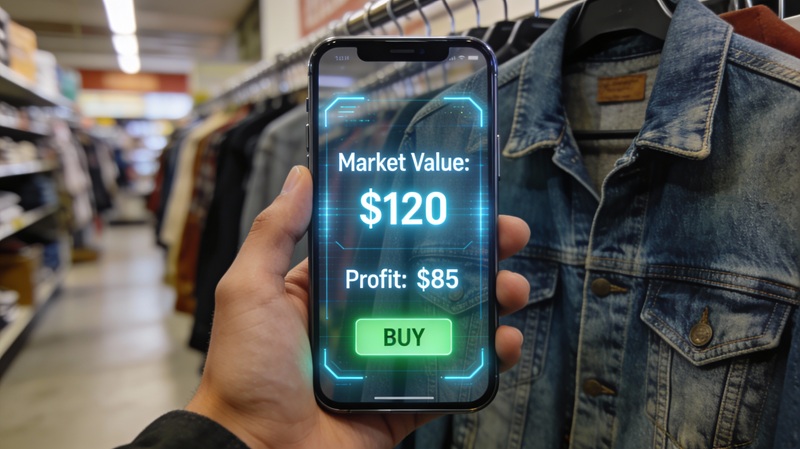
Best Apps for Resellers in 2026: Tools That Actually Help You Make Money
If you’re reselling in 2026, you need the right apps. Not a dozen apps that clutter your phone. Just the essential tools that help you find deals, price items correctly, track inventory, and run your business without wasting hours every week.
I’ve tested over 50 reselling apps this year. Most are either outdated, overpriced, or solve problems you don’t actually have. Here are the 12 worth downloading, organized by what they actually do for your bottom line.
What Makes a Good Reseller App
Before we get into specifics, let’s talk about what actually matters in a reselling app:
Speed. You’re often making decisions in seconds at a thrift store or garage sale. An app that takes 30 seconds to load is useless.
Accuracy. Wrong pricing data is worse than no data. You need real market prices based on actual sold listings, not guesses or outdated databases.
Ease of use. If you need a 20-minute YouTube tutorial to figure out how an app works, it’s too complicated. The best apps work intuitively.
Value for cost. Free is great. Paid is fine if it demonstrably makes you more money than it costs. The ROI should be obvious.
Mobile-first design. You’re sourcing on the go. The app needs to work flawlessly on your phone, not just desktop.
AI integration. In 2026, the best reseller apps leverage AI for item identification, automatic pricing from sold comps, and even listing description generation. Apps without AI capabilities are already falling behind—manual research takes 10-15× longer than AI-powered analysis, and that time gap compounds across every sourcing trip.
Quick Comparison: Top Reseller Apps 2026
| App | Primary Use | Cost | Best For |
|---|---|---|---|
| Underpriced | AI deal analysis & profit tracking | Free tier + paid | Fast sourcing decisions, tracking flips |
| eBay Mobile | Listing & sales | Free | Selling on eBay |
| Poshmark | Clothing listings | Free | Fashion resellers |
| Mercari | General selling | Free | Quick local sales |
| List Perfectly | Cross-listing | $30-50/mo | Multi-platform sellers |
| EstateSales.net | Finding sales | Free | Estate sale sourcing |
| Snapseed | Photo editing | Free | Better listing photos |
| ScoutIQ | Book scanning | $14-44/mo | Book resellers |
| Whatnot | Live selling & auctions | Free (8% commission) | Collectibles, cards, vintage live selling |
Which Reseller Apps Do You Actually Need?
Most resellers do not need 12 apps on day one. They need the smallest stack that removes the biggest bottleneck.
| If you are… | Main bottleneck | Start with… | Skip for now |
|---|---|---|---|
| Brand-new and testing reselling | Overpaying and bad buy decisions | Underpriced + 1 selling app + phone photo editor | Cross-listing software, paid inventory suites |
| eBay-first general reseller | Pricing speed and comp research | Underpriced + eBay app + Snapseed | Poshmark-only tools |
| Clothing seller on 3+ platforms | Listing duplication | Underpriced + Poshmark/eBay apps + List Perfectly or Vendoo | Book scanning apps |
| Local flipper using Marketplace | Speed on new listings | Underpriced browser extension + Facebook app + yard sale app | Expensive pricing databases |
| Estate sale / antique picker | Identification confidence | Underpriced + Google Lens + eBay app | Generic barcode scanners |
| Book specialist | Scan speed | ScoutIQ + platform app + mileage tracker | Fashion-focused tools |
The right question is not “what apps do big resellers use?” It is “what is currently slowing me down?” If the answer is buy decisions, you need analysis. If the answer is listing duplication, you need cross-listing. If the answer is weak photos, you need better image workflow.
The Must-Have Apps for Resellers
1. Underpriced - AI Deal Analyzer & Flip Tracker
Platform: Web app (works on any device) + Chrome/Firefox extensions
Cost: Free tier available, paid plans for serious resellers
Best for: Fast sourcing decisions and complete flip tracking
This is the fastest way to make sourcing decisions without second-guessing yourself. Instead of manually searching eBay sold listings, calculating fees, and trying to estimate profit on every item, Underpriced does it all in seconds.
What it does exceptionally well:
- AI-powered image recognition that identifies items accurately from photos or screenshots
- Pulls real eBay sold comps automatically (no manual searching)
- Calculates actual profit after all fees and shipping costs
- Clear deal scores - HOT DEAL, GOOD DEAL, or PASS recommendations
- Browser extensions for Chrome/Firefox so you can analyze while browsing Facebook Marketplace, OfferUp, Craigslist
- Multi-platform analysis (eBay, Mercari, Poshmark, Facebook Marketplace)
- Built-in Flip Tracker - tracks every purchase, sale, and profit automatically (no spreadsheets needed)
The Flip Tracker Feature:
When you use Underpriced to analyze potential buys, every item you purchase gets automatically logged in your Flip Tracker dashboard. You can see:
- What you paid and where you sourced it
- When you listed it and on which platforms
- Your asking price and actual sale price
- Real profit after all fees
- Days to sell and ROI percentage
- Monthly and yearly profit summaries
This replaces the spreadsheet method (which most resellers abandon after a few weeks because manual data entry is tedious). Everything updates automatically as you source and sell.
Real-world speed: You’re standing in a thrift store looking at a vintage camera. Snap a photo with your phone, upload to Underpriced, and within 10 seconds you know: “This is a $45 profit - HOT DEAL” or “This will break even - PASS.”
No mental math. No “I think this might be good.” Just data-backed decisions that help you avoid expensive mistakes and spot opportunities your competition misses.
ROI Example: One reseller reported avoiding a $180 loss on vintage electronics they almost bought because Underpriced flagged that “sold listings” were actually unsold relists at inflated prices. The AI caught the pattern in seconds.
Try Underpriced free → - Get 5 free analyses to test it on your next sourcing trip.
2. Platform Selling Apps (eBay, Poshmark, Mercari, Facebook)
Platform: iOS and Android
Cost: Free
Best for: Actually listing and managing your sales
You need the mobile apps for whatever platforms you sell on. These handle listing creation, managing sales, customer messages, and shipping labels.
eBay Mobile App:
Essential if you sell on eBay. The mobile app lets you list items quickly with templates, manage active listings, respond to messages, send offers to watchers, and print shipping labels. Even if you use Underpriced for pricing research (which is much faster than manual eBay searches), you still need the eBay app for actually running your business.
Pro tip: Use the “Sell Similar” feature to duplicate listings with one tap. Takes 30 seconds vs 5+ minutes to create a new listing from scratch.
Poshmark Mobile App:
If you flip clothing, especially women’s fashion and brand items, the Poshmark app is essential. The social features (sharing to parties, following users) directly impact your visibility and sales. The app makes it easy to share your closet multiple times daily, which the algorithm rewards.
Warning: Poshmark is time-intensive. Budget 15-30 minutes daily for sharing if you want consistent sales.
Mercari Mobile App:
Great for general items. The barcode scanner works well for packaged products (electronics, toys, collectibles), and the interface is clean and fast. Shipping is easier than eBay thanks to prepaid labels with no scale needed—just pick the closest weight tier.
Key advantage: Mercari’s buyer base expects lower prices than eBay, but items often sell faster. Good for quick flips on lower-value items ($15-75 range).
Facebook Marketplace App:
Crucial for both selling locally (no fees, instant cash) and for finding inventory to flip. Set up saved searches with notifications so you get alerted the moment someone lists items matching your criteria (“vintage camera,” “Le Creuset,” “Nike shoes”).
Sourcing tip: Turn on notifications for your saved searches and check morning + evening. The best deals get snatched within 30-60 minutes of posting.
Bottom line: Install the apps for platforms you actually use. Don’t clutter your phone with every selling app if you only sell on two platforms.
3. Inventory & Profit Tracking (Underpriced Flip Tracker or Google Sheets)
Platform: Web/Mobile
Cost: Free (Sheets) or included with Underpriced
Best for: Tracking purchases, sales, and actual profit
You absolutely need to track your flips. Without data, you’re guessing about what’s profitable.
Option A: Underpriced Flip Tracker (Recommended)
If you’re already using Underpriced for sourcing decisions, your flip tracking happens automatically. Every item you analyze and purchase gets logged with:
- Purchase date, cost, and source location
- Where you listed it and when
- Sale price and date when it sells
- Actual profit after all platform fees and shipping
- ROI percentage and days to sell
- Filterable by month, category, source, or platform
The advantage: zero manual data entry. Most resellers start with spreadsheets and abandon them within weeks because inputting data after every sourcing trip is tedious. Underpriced automatically captures this data as part of your normal workflow.
You get automated reports showing:
- Monthly profit trends
- Which sourcing locations have the best ROI
- Which categories sell fastest
- Your actual average profit per item
- Total invested vs total profit
Option B: Google Sheets (Manual Tracking)
If you prefer the DIY approach or aren’t ready for paid tools, a simple spreadsheet works. Track:
- Item description, purchase date, cost
- Source location (thrift store, estate sale, Facebook Marketplace)
- Selling platform and listing date
- Sale price and date sold
- Fees and shipping costs
- Actual profit
The discipline of logging every purchase and sale reveals patterns. You’ll quickly learn which categories, sources, and platforms actually make you money vs which feel profitable but aren’t.
Reality check: Most resellers who rely on spreadsheets underestimate their time investment and overestimate their profit because they forget to track fees, shipping supplies, and gas/sourcing time. Automated tracking removes the guesswork.
4. Cross-Listing Tools (List Perfectly, Vendoo, Flyp)
Platform: Web-based
Cost: $30-50/month depending on plan
Best for: Resellers selling on 3+ platforms simultaneously
Cross-listing software lets you create one listing and push it to multiple marketplaces (eBay, Poshmark, Mercari, Depop, Facebook, etc.) instead of manually recreating the same listing 5+ times.
When it’s worth it:
- You’re selling on 3+ platforms
- You have 100+ active listings
- Your time is worth more than $20/hour
When to skip it:
- You only sell on 1-2 platforms (just use those platform apps directly)
- You have fewer than 50 active listings
- You’re just starting out and need to minimize costs
Top options:
- List Perfectly: Most popular, solid interface, $30-50/mo
- Vendoo: Better automation features, $30-50/mo
- Flyp: Budget option at $10-20/mo but fewer features
For detailed comparison, see our Cross-Listing Software Guide.
5. Photo Editing Apps (Snapseed, Lightroom Mobile, PhotoRoom)
Platform: iOS and Android
Cost: Free (with optional pro features)
Best for: Better listing photos = faster sales and higher prices
Good photos sell items 30-40% faster and for 10-20% more money, according to eBay’s internal data. A quick 30-second edit makes a massive difference.
What you need:
- Brightness and contrast adjustment (make colors pop)
- Crop and straighten (remove distracting backgrounds)
- Background removal for clean product shots
- Batch editing for efficiency
Best free options:
Snapseed (Google): Free, powerful, works offline. Great for quick adjustments. Tap “Tools” > “Tune Image” and adjust brightness +10-20 and contrast +5-10 for most items. That alone makes a huge difference.
Lightroom Mobile (Adobe): More advanced editing if you want full control. The auto-adjust button works surprisingly well for product photos. Free version is plenty.
PhotoRoom: Specifically designed for removing backgrounds and creating clean product shots. The AI background removal works incredibly well. Free tier gives you 20 removes/month, which is enough for most resellers.
Pro tip: Your phone’s built-in editor often works fine for quick brightness/crop adjustments. Only install dedicated apps if you’re doing volume or want background removal.
Sourcing and Deal-Finding Apps
6. Estate Sale Finders (EstateSales.net, EstateSales.org)
Platform: iOS and Android
Cost: Free
Best for: Finding estate sales with vintage goods, antiques, collectibles
If you source from estate sales, you need an estate sale app. Both EstateSales.net and EstateSales.org have mobile apps that let you:
- Browse upcoming sales in your area by zip code
- See photos of inventory before going (huge time saver)
- Get directions and save sales to your calendar
- Set alerts for new sales in your target area
- Filter by keywords (“vintage,” “mid-century,” “collectibles”)
Why this matters: Looking at photos beforehand saves massive amounts of time. You can skip the sales full of 1990s particle board furniture and office supplies, and focus on the ones with genuine vintage goods, designer clothing, or valuable collectibles.
Pro tip: Estate sale companies usually upload photos 2-4 days before the sale. Check Tuesday/Wednesday evening to plan your Friday/Saturday sourcing route. The sales with 50+ photos of quality items are worth getting to early.
7. Garage Sale Mappers (Yard Sale Treasure Map, Garage Sales by Map)
Platform: iOS and Android
Cost: Free (with ads) or $2-5/mo for premium
Best for: Planning efficient Saturday morning garage sale routes
Apps like Yard Sale Treasure Map and Garage Sales by Map aggregate local garage sales from Craigslist, Facebook, and other sources so you can plan efficient sourcing routes.
How to use them:
- Friday evening: Open the app and see all sales in your area on a map view
- Read descriptions to identify the most promising sales (moving sales, estate sales, and “cleaning out garage/attic” sales are usually best)
- Build a route that hits the best sales first, starting early (7-8am)
- Set your GPS and go
Key insight: Getting to good garage sales early is half the battle. The best items get grabbed in the first 30-60 minutes. These apps help you identify which sales are worth waking up for and create an efficient route so you’re not zigzagging across town.
Reality check: Most garage sales are full of junk. But the 10-15% with genuinely good stuff can cover your gas for weeks. Use the app to filter for keywords like “downsizing,” “moving,” “estate,” or specific items you flip.
8. Book Scanning Apps (ScoutIQ, Scout IQ alternatives)
Platform: iOS and Android
Cost: $14-44/month
Best for: High-volume book resellers
Important context: The book scanning model isn’t what it was in 2015. Amazon FBA book arbitrage is mostly dead for beginners due to gating, competition, and thin margins.
That said, if you’re specifically flipping books (either on eBay or Amazon), scanning apps can save massive time:
- Scan ISBN barcodes instantly
- See Amazon sales rank, current prices, FBA vs MFN prices
- Calculate estimated profit after fees
- Track book condition and pricing history
ScoutIQ is the most popular at $44/month. Scout alternatives exist at $14-20/month but are often buggy.
When to use book scanners:
- You’re processing 50+ books per sourcing trip
- You focus specifically on books as your main category
- You have reliable thrift stores or library sales with consistent inventory
When to skip:
- You only flip books occasionally
- You’re just starting and need to minimize monthly costs
- You can visually identify valuable books (textbooks, first editions, collectible series) without scanning
Most general resellers don’t need dedicated book scanning apps. If you find a few books per sourcing trip, just use Underpriced’s general analysis or manually check eBay sold listings.
9. Mileage & Expense Trackers (Everlance, MileIQ)
Platform: iOS and Android
Cost: Free tier or $5-10/month
Best for: Tax deductions and expense tracking
If you’re sourcing multiple times per week, you’re racking up serious mileage. At the IRS standard mileage rate (67¢ per mile in 2026), that’s real money.
What these apps do:
- Automatically track your driving using GPS
- Categorize trips (business vs personal)
- Generate mileage reports for tax time
- Track other business expenses (supplies, fees, gas)
Everlance is the most popular. The free tier tracks unlimited miles but limits reporting. Premium ($8/mo) gives you full reports and automatic trip classification.
MileIQ (Microsoft) is $6/mo and integrates well if you already use Microsoft 365.
ROI example: If you drive 200 miles per week sourcing (800 miles/month), that’s $536/month in deductible mileage at 67¢/mile. If you’re in the 22% tax bracket, that saves you $118/month in taxes. The app pays for itself 10x over.
Bottom line: If you source regularly by car, track your mileage. You’re leaving money on the table otherwise.
Apps to Skip (Don’t Waste Your Money)
Some apps get recommended constantly but honestly aren’t worth it for most resellers:
Overpriced Barcode Scanners
The pitch: Scan any barcode and instantly know if it’s profitable!
The reality: Most retail arbitrage apps ($30-50/month) pull Amazon data that’s increasingly irrelevant due to gating, restrictions, and oversaturation. Unless you’re doing high-volume retail arbitrage at stores like Target or Walmart regularly, you won’t make back the subscription cost.
Better alternative: Use Underpriced for general items (works on anything, not just barcoded products) or check Amazon Seller App for free if you occasionally flip retail products.
Expensive Pricing Databases
The pitch: Access to exclusive sold pricing data across multiple platforms!
The reality: Most of these $20-40/month databases either pull the same eBay sold data you can access for free, or use aggregated “estimated values” that don’t reflect actual current market prices.
Better alternative: Underpriced pulls real-time eBay sold listings automatically and shows you actual sale prices, not estimates. You’re getting the same data (actually better, because it’s current) without the expensive subscription.
Cross-Listing Apps Before You Need Them
The pitch: List everywhere simultaneously and maximize your exposure!
The reality: Cross-listing apps ($30-50/month) make sense at scale, but most resellers don’t sell enough volume to justify the cost until they have 100+ active listings across 3+ platforms.
When you actually need it: Once you’re consistently listing 20+ items per week across multiple platforms and your inventory management becomes genuinely painful. Until then, native platform apps work fine.
All-in-One Reselling Suites
The pitch: One app that does sourcing, listing, inventory, analytics, and shipping!
The reality: These sprawling platforms usually do everything poorly. You’re better off using a few focused apps that each do one thing excellently.
The pattern: The best apps solve one problem really well. Underpriced analyzes deals and tracks flips. Platform apps handle selling. Photo apps handle images. Focused tools beat bloated suites.
Emerging Reseller Tools to Watch in 2026
Beyond the established apps, several new tool categories are gaining traction among serious resellers this year:
AI-Powered Listing Generators
Tools that create complete eBay, Poshmark, or Mercari listings from photos are maturing fast. You snap a few photos of an item, and the AI generates a title, description, item specifics, and suggested pricing—all in under 30 seconds. Early adopters report cutting their listing time by 60-70%.
The best options pull from actual sold comp data (not generic templates), which means your listings include the keywords buyers actually search for. If you’re listing 10+ items per day, AI listing generators can save you 1-2 hours daily. Look for tools that integrate directly with eBay’s API so listings publish with one click.
Automated Repricing Tools
Borrowed from the Amazon FBA playbook, automated repricers are now available for eBay and Mercari sellers. These tools monitor your active listings against current market data and adjust your prices automatically based on rules you set—like “stay 5% below the lowest comparable listing” or “drop price 10% after 14 days with no views.”
This is especially useful if you maintain 200+ active listings. Manually checking and adjusting prices across hundreds of items is time you could spend sourcing. Repricing tools handle the tedious work while you focus on finding inventory.
Portable Photo Studio Setups
The portable lightbox market has exploded with options designed specifically for resellers. The newest setups ($40-80) include LED lighting, multiple backdrop colors, and integrate with apps that automatically remove backgrounds and color-correct your photos.
The ROI is clear: listings with clean, well-lit photos on white backgrounds sell 30-40% faster and for 10-20% more than photos taken on a kitchen counter. If you’re listing more than a few items per week, a portable photo studio pays for itself within days.
Whatnot Streaming Management Tools
As Whatnot continues to grow as a sales platform for collectibles, cards, and vintage items, a small ecosystem of streaming tools has emerged. OBS Studio plugins designed for Whatnot sellers let you add real-time price overlays, camera switching between item close-ups and your face, countdown timers for auctions, and on-screen graphics showing recent sales.
Multi-camera switching apps (like Camo or EpocCam) turn your phone into a second camera angle, giving your streams a more professional look without expensive equipment. Sellers using multi-camera setups with overlays report 25-40% higher average sale prices compared to single-camera phone streams.
Community Management for Buyer Networks
Savvy resellers are building private buyer communities on WhatsApp and Discord to create repeat customers and drive sales outside of platform fees. These communities work especially well for niche categories—vintage sneaker collectors, Pokémon card enthusiasts, or mid-century furniture buyers.
The tools here aren’t fancy: WhatsApp Business (free) for small groups of 50-100 repeat buyers, or Discord (free) for larger communities with organized channels by category. The key insight is that direct buyer relationships let you sell items before they ever hit eBay or Poshmark, saving you 10-15% in platform fees and creating a reliable sales channel.
Worth noting: These tools are still evolving. None of them are “must-haves” yet—they’re more like competitive edges for resellers who want to stay ahead of the curve. The fundamentals (fast sourcing decisions, good photos, competitive pricing) still matter most.
How to Actually Use These Apps While Sourcing
Here’s my actual workflow at a thrift store. This takes practice but becomes second nature after a few trips:
1. Walk in, go straight to your target sections (men’s jackets, electronics, vintage items, home goods—whatever categories you know well).
2. Spot something interesting. Check the price tag. If it’s obviously overpriced relative to potential profit, skip it. If it’s potentially good, proceed to step 3.
3. Pull out your phone, open Underpriced. Three options:
- Take a photo directly in the app
- Screenshot the Facebook Marketplace/Craigslist listing if sourcing online
- Use the browser extension if you’re researching on desktop
4. Wait 10-15 seconds for analysis. The AI identifies the item, pulls sold comps, calculates fees, and gives you a clear recommendation:
- HOT DEAL (strong profit, buy it immediately)
- GOOD DEAL (decent profit, buy if you know the category)
- OKAY (marginal profit, skip unless you need inventory)
- PASS (will lose money or break even, put it back)
5. Make the decision. If it shows profitable data, buy it. If it’s marginal or a pass, put it back. Don’t second-guess the data unless you have specific knowledge the AI doesn’t (like knowing a particular model variation is more valuable).
6. Repeat for every item that catches your eye.
The whole process takes 15-20 seconds per item. The AI handles the heavy lifting—identifying the item, finding comps, calculating fees, and giving you a clear recommendation based on real sold data.
Why This Beats the Old Manual Method
I used to do this:
- See interesting item
- Open eBay app
- Type in description (hoping I got the model/brand right)
- Filter to “Sold Listings”
- Scroll through results trying to find the right condition match
- Mentally calculate eBay fees (10-15% depending on category)
- Estimate shipping cost
- Try to remember what I paid for similar items
- Still wonder if I’m missing something important
That took 2-3 minutes per item and I still made mistakes regularly. I’d miss model variations, misjudge condition differences, or forget about return shipping costs.
Now I get better data faster, and the AI catches details (like specific model variations, condition factors, or seasonal demand shifts) that I used to overlook.
Real impact: I can now evaluate 30-40 items in the time it used to take me to research 10-15 items. That means I can either source faster or evaluate more potential inventory in the same time. Either way, my profit per hour sourcing has roughly tripled.
The Cost Question: How Much Should You Spend?
How much should you spend on reselling apps? It depends on your volume and goals.
If You’re Just Starting (First 3 Months)
Recommended budget: $0-10/month
You can absolutely keep costs near zero while learning:
- Free platform apps (eBay, Poshmark, Mercari, Facebook)
- Underpriced free tier (5 analyses to test it)
- Google Sheets for tracking
- Free estate sale / garage sale apps
- Phone’s built-in photo editor
Total cost: $0/month, or $10/month if you sign up for Underpriced after using the free analyses.
Focus on learning your categories, developing an eye for deals, and proving to yourself this is worth pursuing seriously.
If You’re Sourcing Regularly (3-12 Months In)
Recommended budget: $20-40/month
Once you’re sourcing weekly and making consistent sales:
- Platform apps (still free)
- Underpriced ($19-29/month depending on volume) - pays for itself by preventing 1-2 bad purchases monthly
- Photo editing app (free tier is fine)
- Estate sale apps (free)
- Mileage tracker (free tier or $8/month)
At this stage, the expensive part of reselling isn’t app subscriptions—it’s wasted time and bad purchases.
One item you overpay for by $20 wipes out two weeks of Underpriced subscription. Spending an extra 5 minutes manually researching every potential buy adds up to hours wasted each sourcing trip.
The math that matters: If an app helps you:
- Avoid even one $25 mistake per month → it paid for itself
- Make decisions 10x faster while sourcing → you can evaluate more items in less time
- Spot opportunities you would have passed on → direct revenue increase
Most serious resellers find that spending $20-40/month on tools that prevent mistakes and save hours is the easiest business decision they make.
If You’re Scaling (12+ Months In, Multi-Platform)
Recommended budget: $50-100/month
Once you’re selling on 3+ platforms with 100+ active listings:
- Platform apps (still free)
- Underpriced ($29-49/month for higher volume)
- Cross-listing software ($30-50/month) - saves 10+ hours weekly
- Photo editing pro tier ($10/month) if you want background removal for every listing
- Mileage tracker ($8/month)
- Optional: dedicated inventory management if you have 500+ SKUs
At this scale, your time is worth $30-50+/hour. Any app that saves you 2+ hours per week easily pays for itself.
The Bottom Line on Cost
Start free. Upgrade gradually as you prove the business works.
The pattern I see consistently: resellers who stay with 100% free tools usually stall at $500-800/month in revenue because they can’t evaluate inventory fast enough or spend too much time on manual tasks.
Resellers who invest $20-40/month in the right tools typically break through to $2,000-4,000/month because they can source more efficiently, avoid expensive mistakes, and spend their time actually selling instead of manually tracking data.
The apps aren’t magic—but they remove friction and let you focus on the high-value activities (sourcing, listing, customer service) instead of manual busywork.
Building Your Perfect App Stack
Don’t try to use every app. Pick the ones that match how you actually resell. Here are three common setups:
Stack #1: eBay-Focused General Reseller
Best for: Resellers who sell primarily on eBay across multiple categories
- Underpriced (sourcing decisions + flip tracking)
- eBay Mobile App (listing and sales management)
- Snapseed (photo editing)
- EstateSales.net (finding inventory)
- Everlance (mileage tracking)
Total cost: $20-30/month + free apps
Why it works: Covers all the core functions without bloat. You can source confidently, list efficiently, and track your business properly.
Stack #2: Multi-Platform Clothing Reseller
Best for: Fashion resellers selling on Poshmark, eBay, Mercari, Depop
- Underpriced (pricing research + flip tracking)
- List Perfectly or Vendoo (cross-listing to save time)
- Poshmark App (sharing and social features)
- eBay Mobile App (eBay management)
- Mercari App (Mercari sales)
- PhotoRoom (background removal for clean product shots)
- Everlance (mileage tracking)
Total cost: $50-80/month + free apps
Why it works: Cross-listing software makes sense for fashion because you’re listing similar items across 4-5 platforms constantly. Without it, you’d spend hours manually recreating the same listing.
Stack #3: Local + Online Hybrid
Best for: Resellers who source and sell locally via Facebook Marketplace but also flip items online
- Underpriced with browser extension (analyze Facebook Marketplace listings instantly)
- Facebook Marketplace App (buying and selling locally)
- eBay Mobile App (for items worth shipping nationally)
- Snapseed (quick photo edits)
- Yard Sale Treasure Map (weekend garage sale sourcing)
Total cost: $10-20/month + free apps
Why it works: Lean and efficient. The browser extension lets you analyze Facebook Marketplace deals as you browse, which is crucial for local sourcing where you need to message sellers within minutes of posting.
The Pattern: Underpriced + Platform Apps + Specialty Tools
Notice what’s consistent across all three stacks?
- Underpriced for sourcing decisions and flip tracking - this is the foundation that prevents expensive mistakes and tracks your actual profit
- Platform apps for whatever you sell on - eBay, Poshmark, etc.
- Specialty tools only when needed - photo editing, cross-listing (only at scale), mileage tracking
Start with the basics. Add apps only when you have a specific problem they solve. Most successful resellers only need 4-6 apps total to run their entire business effectively.
Don’t over-optimize. I see resellers waste hours researching “the perfect app stack” instead of, you know, actually sourcing and selling. Pick a setup, use it for a month, adjust what’s not working.
The Highest-ROI Order to Add Apps
If you’re deciding what to pay for first, use this order:
- Deal analysis - because one bad buy can wipe out a month of small profits
- Platform management apps - because you still need to list, message, and ship efficiently
- Photo cleanup - because better photos increase sell-through and price realization
- Mileage/expense tracking - because tax leakage is real once you source regularly
- Cross-listing - only after volume makes manual duplication expensive
That order matches where most resellers leak the most money first: overpaying, underpricing, and wasting time on repetitive tasks.
Frequently Asked Questions
Do I really need to pay for reselling apps?
No, you can start with 100% free tools. But once you’re sourcing regularly, paid tools typically pay for themselves by preventing 1-2 bad purchases per month or saving hours of manual research time. Most successful resellers spend $20-50/month on apps that directly increase profit or save significant time.
What’s the #1 app every reseller needs?
A tool for making fast, accurate sourcing decisions. For most resellers, that’s Underpriced because it combines AI analysis, sold comp data, automatic fee calculations, and flip tracking in one place. You need a way to confidently answer “should I buy this?” in seconds, not minutes.
Should I use cross-listing software?
Only if you’re selling on 3+ platforms with 100+ active listings. Before that scale, cross-listing software ($30-50/month) costs more than the time it saves. Start with platform apps directly, upgrade to cross-listing once your volume justifies it.
How do I track my flips without a spreadsheet?
Use Underpriced’s built-in Flip Tracker, which automatically logs every purchase and sale as you use the app to analyze items. Zero manual data entry, and you get automated profit reports showing which categories, sources, and platforms actually make you money.
What apps do professional resellers actually use?
Most full-time resellers use 4-6 core apps: (1) Underpriced or similar for deal analysis + tracking, (2) platform apps for wherever they sell (eBay, Poshmark, etc.), (3) photo editing app, (4) estate sale or garage sale finders, (5) optional cross-listing if selling on 3+ platforms, (6) mileage tracker for tax deductions.
Can I use Underpriced for all categories or just certain items?
Underpriced works across all categories—clothing, electronics, collectibles, home goods, vintage items, sports equipment, etc. The AI is trained on millions of items across categories, so it identifies everything from vintage cameras to Nike sneakers to Le Creuset cookware.
Is the eBay app good enough for sourcing research?
The eBay app is essential for managing your sales, but it’s slower for sourcing decisions. You have to manually search, filter to sold listings, scroll through results, judge condition matches, and calculate fees yourself. Underpriced pulls all that data automatically in 10 seconds and gives you a clear buy/pass recommendation. Most resellers use both—Underpriced for sourcing, eBay app for selling.
The Bottom Line
The best reseller app is the one you actually use consistently.
You don’t need 15 apps. You need:
- A fast, accurate way to make sourcing decisions - Underpriced handles this with AI analysis + automatic flip tracking
- Platform apps for wherever you actually sell - eBay, Poshmark, Mercari, Facebook, etc.
- Basic tools for photos and business management - photo editor, mileage tracker, estate sale finders
Everything else is optional or only makes sense at higher volume.
Keep your stack lean. Only pay for tools that directly increase your profits or save significant time.
The difference between hobbyist resellers and people actually making $2,000-5,000+/month?
Speed and accuracy in sourcing decisions.
Hobbyists spend 3-5 minutes manually researching items, second-guess themselves, pass on good deals because the research seems time-consuming, and occasionally buy items that lose money.
Successful resellers use tools like Underpriced to make confident decisions in 10-15 seconds, evaluate 3-4x more potential inventory in the same time, and avoid expensive mistakes with bad data.
The apps don’t do the work for you—but they remove the friction that keeps most people from scaling.
Start here:
Try Underpriced free → - Get 5 free analyses to test it on your next sourcing trip. No credit card required.
See if AI-powered deal analysis + automatic flip tracking actually fits your workflow. If it saves you from one $20 mistake or helps you spot one opportunity you would have missed, it’s already paid for itself.
Then build your app stack around what actually works for your business. Start simple, add tools only when you need them, and focus on sourcing and selling instead of optimizing your tech stack forever.
Related Guides
- Complete Reseller Tool Stack Guide 2026 - Deep dive on all tools for reselling
- How to Price Items to Sell - Pricing strategy and profit calculations
- eBay Sold Listings: Never Overpay Again - Master sold comp research
- Thrift Store Flipping Complete Guide - Sourcing strategies and what to look for
- Best Items to Flip for Profit 2026 - Category-specific flipping opportunities