Are Apple Products Worth Flipping in 2026? Margins Guide
By the Numbers
Store ratings checked Sep 27, 2026. How we count
Apple devices depreciate slower than almost anything else in consumer electronics, but that resale edge only pays out when you buy the right model, in the right configuration, with the correct account and hardware checks completed first. A locked device, an MDM-enrolled MacBook, or an iPhone with a degraded battery erases the resale premium regardless of model year.
This guide covers which devices and configurations are worth buying, the verification checks to run before paying, where to sell each device type, and the pricing discipline that separates consistent profit from inconsistent results.
Apple Products Resale Value Compared to Competitors in 2026
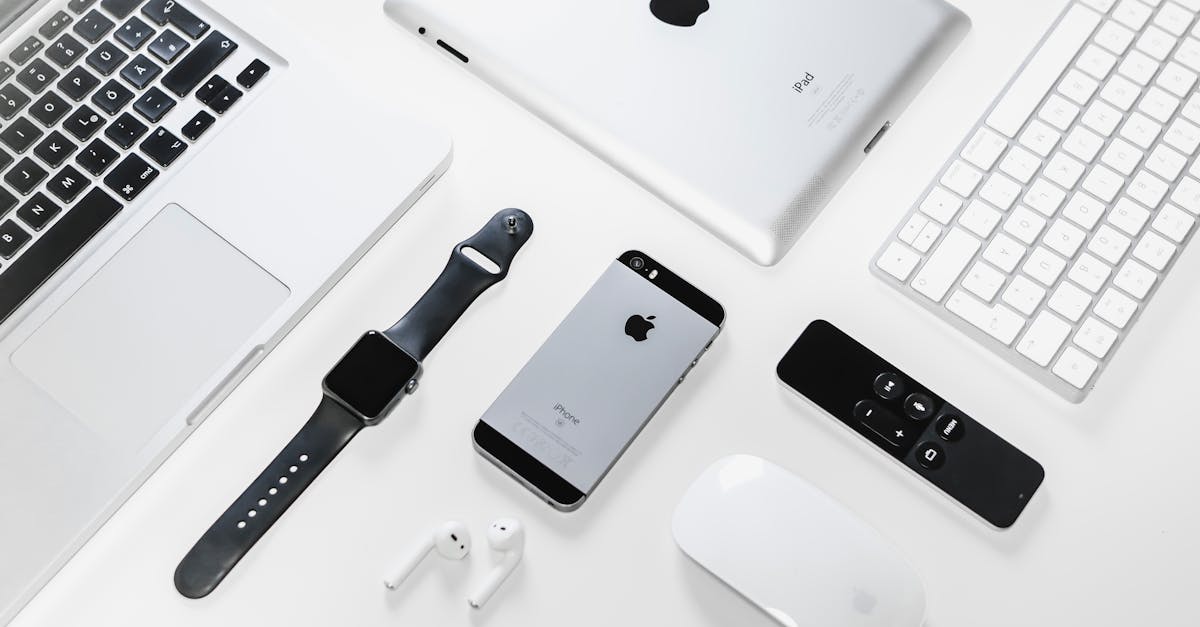
Apple products still usually hold resale value better than comparable phones, tablets, laptops, and wearables from most competitors, but the edge is not automatic. The devices that keep the strongest resale spread in 2026 are current or recent iPhone Pro models, M-series MacBooks, cellular iPads, Apple Watch Ultra models, and genuine AirPods Pro/Max units with clean serial-number checks.
| Apple category | Closest competitor set | Resale-value edge | What protects the margin |
|---|---|---|---|
| iPhone Pro / Pro Max | Samsung Galaxy S/Ultra, Google Pixel | Highest and fastest-moving | Unlocked carrier status, high battery health, clean IMEI, 256GB+ storage |
| MacBook Air / Pro with M chips | Windows ultrabooks, creator laptops | Strongest on premium models | Apple Silicon generation, RAM/storage, battery cycle count, no MDM lock |
| iPad Pro / Air | Samsung Galaxy Tab, Android tablets | Strong on Pro/Air, thinner on base iPad | Apple Pencil/keyboard bundle, cellular model, condition grade |
| Apple Watch Ultra / Series | Garmin, Samsung Watch, Fitbit | Mixed by model | Activation Lock cleared, case material, band/accessory bundle |
| AirPods Pro / Max | Sony/Bose earbuds and headphones | Good but counterfeit-risky | Serial verification, genuine case, battery performance |
For resellers, the practical difference is this: Apple gear gives you more pricing confidence before you buy, while many competitor electronics need a bigger discount to compensate for faster depreciation. Use the electronics depreciation calculator to model the value drop, and use the iPhone resale vs trade-in calculator to compare legitimate buyback channels with exact sold comps before you pay local cash. Apple’s current US consumer Trade In terms say the participant is not a reseller, so do not model that consumer path as an inventory exit unless its eligibility statement is actually true.
Apple Direct vs Reseller Pricing: Where the Spread Comes From
Apple’s own trade-in and refurbished pricing creates a useful reference point, but it is not the same as reseller market value. Trade-in offers optimize for convenience and risk control. Refurbished Apple Store prices include warranty, support, and Apple-controlled inventory quality. Reseller pricing sits between those poles: buyers pay less than Apple refurbished, but usually more than trade-in value if the device is unlocked, clean, tested, and photographed well.
Before buying any Apple item, compare three numbers:
- Trade-in floor: what Apple, a carrier, or a buyback site would pay.
- Open-market sold comps: what similar items actually sold for on eBay, Swappa, or Facebook Marketplace.
- Net payout after fees and shipping: what you keep after marketplace fees, label cost, returns risk, and refurbishment.
If the open-market net is not at least 20-30% above your buy price after repair risk, pass. Apple products move quickly, but speed does not rescue a bad entry price.
Quick Stats: Apple Product Flipping at a Glance
| Metric | Details |
|---|---|
| Typical Profit Margins | 20–60% depending on product, condition, and sourcing |
| Startup Capital Needed | $300–$2,000 |
| Average Time to Sell | 3–14 days |
| Difficulty Level | Intermediate |
| Best Sourcing Channels | Trade-in cycles, estate sales, corporate liquidation, eBay auctions |
| Top Selling Platforms | eBay, Swappa, Facebook Marketplace, Back Market |
| Peak Buying Season | September–November (new iPhone launch cycle) |
| Biggest Risk | iCloud-locked or stolen devices |
Why Apple Products Hold Their Value Better Than Anything Else
Before diving into specific product categories, it helps to understand why Apple resale is so lucrative. This isn’t accidental, it’s baked into Apple’s entire business model.
Ecosystem Lock-In
Once someone owns an iPhone, they’re far more likely to buy a MacBook, iPad, Apple Watch, and AirPods. iMessage, AirDrop, Handoff, Universal Clipboard, these features only work within Apple’s walled garden. That lock-in means buyers are constantly looking for affordable ways to stay in the ecosystem, and used Apple products fill that gap perfectly.
Brand Loyalty and Perceived Value
Apple consistently ranks as the world’s most valuable brand. Consumers trust the Apple name, which means they’re willing to pay a premium for used Apple devices in ways they simply won’t for a two-year-old Samsung or Lenovo. A used iPhone 15 Pro still commands $550–$700 in good condition. A comparable two-year-old Android flagship? You’d be lucky to get $200.
Build Quality and Longevity
Apple devices are built to last. The aluminum unibody construction on MacBooks, the Ceramic Shield on iPhones, the surgical-grade stainless steel on Apple Watch, these materials age well. A three-year-old MacBook Air still looks and feels premium. That physical durability directly translates to resale value.
Software Support Longevity
Apple supports its devices with software updates far longer than competitors. The iPhone 8 from 2017 received iOS updates through 2023, six years of support. In 2026, devices like the iPhone 13 and iPhone 14 are still receiving iOS 19 updates, which keeps them relevant and desirable on the secondary market. Buyers know they won’t be stuck with an outdated, insecure device.
Predictable Depreciation
Unlike most electronics that crater in value, Apple products follow a predictable depreciation curve. iPhones typically lose 25–35% of their value in the first year, then slow to 10–15% annually after that. This predictability lets you price confidently and forecast margins before you even make a purchase.
iPhone Flipping: The Bread and Butter of Apple Resale
iPhones are the single most flipped electronic device in the world. The massive install base, annual upgrade cycle, and consistent demand make them the backbone of most Apple resellers’ businesses.
Most Profitable iPhone Models in 2026
iPhone 16 Series (2024) Still relatively new, the iPhone 16 lineup commands strong prices. The iPhone 16 Pro and 16 Pro Max are the stars here, expect to pay $650–$850 for good-condition units and resell for $800–$1,050 depending on storage and condition. The standard iPhone 16 offers thinner margins but faster turnover at $450–$550 buy / $550–$700 sell.
iPhone 15 Series (2023) The sweet spot for flipping in 2026. These devices are old enough that people are upgrading away from them but new enough to command solid prices. The iPhone 15 Pro Max in 256GB regularly sells for $600–$750. The base iPhone 15 moves well at $350–$450. Margins of 30–45% are achievable if you source well.
iPhone 14 Series (2022) The budget-friendly tier that still has a massive market. The iPhone 14 Pro models are particularly strong at $400–$550. The standard iPhone 14 is trickier, it’s essentially an iPhone 13 with a different name, and savvy buyers know that. Focus on Pro and Pro Max models in this generation.
iPhone 13 Series (2021) Getting long in the tooth but still supported by iOS 19. The iPhone 13 Pro Max is the standout here at $300–$400. Standard iPhone 13 models have compressed margins and should only be picked up at deep discounts (under $200).
Storage Tiers Matter Enormously
This is one of the biggest profit levers in iPhone flipping. The price difference between storage tiers on the used market is disproportionately large relative to the cost difference:
| Model | 128GB Price | 256GB Price | 512GB Price | 1TB Price |
|---|---|---|---|---|
| iPhone 16 Pro Max | $750 | $850 | $950 | $1,050+ |
| iPhone 15 Pro Max | $550 | $650 | $750 | $850+ |
| iPhone 15 Pro | $450 | $530 | $630 | , |
| iPhone 14 Pro | $350 | $420 | $500 | , |
The jump from 128GB to 256GB typically adds $80–$120 to the resale price, but savvy sourcing can often snag higher-storage models for only $30–$50 more than base storage. Always prioritize 256GB and above when buying, the margins are consistently better, and 128GB models are becoming a tougher sell as app sizes and photo libraries grow.
Carrier Unlocked vs. Locked
Always prioritize unlocked devices. An unlocked iPhone sells for 10–20% more than a carrier-locked equivalent and moves significantly faster. Locked devices limit your buyer pool to customers on that specific carrier.
If you do acquire a carrier-locked phone, here’s the pecking order by resale impact:
- Unlocked, best price, fastest sale
- T-Mobile/AT&T locked, moderate demand, 5–10% discount
- Verizon locked, Verizon automatically unlocks after 60 days, so many “locked” phones are actually unlockable
- International carrier locked, avoid unless you know the unlock process
How to Check iCloud Lock and Activation Lock
This is the single most critical check in iPhone flipping. An iCloud-locked iPhone is essentially a paperweight. Here’s your verification process:
- Turn on the device. If it boots to the “Activation Lock” screen asking for an Apple ID and password, walk away immediately.
- Go to Settings > General > About. Check the serial number and IMEI.
- Check Apple’s coverage page at checkcoverage.apple.com. Enter the serial number to verify the device’s status and warranty information.
- Run an IMEI check at imei.info. This will tell you if the device is reported lost or stolen, blacklisted, or has an outstanding financial balance (meaning someone is still making payments on it).
- Ensure Find My iPhone is turned off. Go to Settings > [Name] > Find My. If Find My iPhone is on and you can’t turn it off, don’t buy the device.
- Factory reset in front of the seller. Go to Settings > General > Transfer or Reset iPhone > Erase All Content and Settings. If the seller won’t let you do this, that’s a major red flag.
Use the Underpriced app to quickly look up comparable sold listings while you’re inspecting a device, knowing the exact market value in real time prevents you from overpaying.
Resellers who develop deep expertise in premium electronics often find that the same sourcing channels, estate sales, liquidation, Facebook Marketplace, also surface high-value drones and aerial photography equipment. DJI drones follow a rapid technology cycle similar to Apple’s, creating strong depreciation on older models that smart resellers can capitalize on. If you want to expand into that adjacent category, the DJI drones and drone flipping guide covers which models hold value, how to test and authenticate them, and the best platforms for moving drone inventory.
MacBook Flipping: Higher Margins, Higher Stakes
MacBooks represent the highest-dollar Apple flips most resellers will handle. A single MacBook flip can net $200–$500 in profit, but the higher price points mean mistakes hurt more.
M-Series Chips: The Defining Factor
The transition to Apple Silicon fundamentally changed MacBook resale. Intel MacBooks have fallen off a cliff in value, while M-series machines command strong premiums:
M4 / M4 Pro / M4 Max (2024–2025) The current generation. M4 MacBook Pros are flipping for $1,400–$2,800+ depending on configuration. M4 MacBook Airs are strong at $900–$1,200. These are premium products with premium margins, expect 25–40% if sourced through liquidation or trade-in arbitrage.
M3 / M3 Pro / M3 Max (2023–2024) The sweet spot for MacBook flipping. Prices have settled after the M4 launch, and these machines are still incredibly capable. M3 MacBook Pro 14-inch models move at $1,000–$1,600. The M3 MacBook Air 15-inch is a popular model at $850–$1,100.
M2 / M2 Pro / M2 Max (2022–2023) Solid mid-range options with good margins. The M2 MacBook Air is one of the most popular laptops ever made, and used units sell for $600–$850. M2 Pro MacBook Pros hold at $900–$1,300.
M1 (2020–2021) Getting older but still perfectly capable machines. M1 MacBook Airs are a strong budget pick at $400–$550 and move quickly. M1 Pro/Max MacBook Pros still command $700–$1,000. These are great entry-level flips with lower capital requirements.
Intel MacBooks (Pre-2020) Avoid unless priced below $300. Intel MacBooks can’t run the latest macOS versions, are significantly slower than M-series machines, and have compressed margins. The only exception is the 2019 MacBook Pro 16-inch, which still has a niche following at $350–$450.
RAM and Storage Configurations That Command Premiums
Like iPhones, MacBook configurations dramatically affect resale value:
- 8GB RAM → 16GB RAM: Adds $100–$200 to resale value
- 16GB RAM → 32GB RAM: Adds $150–$300 (especially on Pro models)
- 256GB SSD → 512GB SSD: Adds $80–$150
- 512GB SSD → 1TB SSD: Adds $100–$200
The 16GB/512GB configuration is the sweet spot for most MacBook flips, it satisfies the vast majority of buyers and commands a meaningful premium over the base 8GB/256GB model.
Battery Cycle Counts
MacBook batteries are rated for 1,000 charge cycles before reaching 80% of original capacity. Battery health directly impacts resale value:
- Under 100 cycles: Like new, no price impact
- 100–200 cycles: Minimal impact, still excellent, ideal for flipping
- 200–500 cycles: Moderate use, expect a 5–10% discount versus low-cycle equivalents
- 500–800 cycles: Heavy use, battery may need replacement soon, discount 10–20%
- 800+ cycles: Battery replacement likely needed ($130–$200 for Apple service), price accordingly
To check: Open the MacBook, click the Apple menu > System Settings > Battery > Battery Health. The cycle count is listed there. Under 200 cycles is ideal for flipping.
Cosmetic Condition Grading
Develop a consistent grading system for your listings:
- Mint/Like New: No visible marks, scratches, or dents. Screen perfect. Original box and accessories preferred. Commands top dollar.
- Excellent: Minor micro-scratches only visible under direct light. No dents. Screen perfect. 90–95% of mint pricing.
- Good: Light scratches visible in normal use. Minor signs of wear on edges/corners. Screen clean. 80–90% of mint pricing.
- Fair: Noticeable scratches, minor dents, or keyboard wear. Screen may have light marks. 65–80% of mint pricing.
- Poor/Parts: Significant damage, cracked screen, or non-functional components. Value is in parts. 30–50% of mint pricing.
iPad Flipping: The Overlooked Opportunity
iPads are often overlooked by beginner resellers, but they offer steady, reliable margins with less competition than the iPhone market.
Pro vs. Air vs. Base Models
iPad Pro (M2/M4 chip) The premium tier. The 12.9-inch (now 13-inch) iPad Pro with M4 chip commands $800–$1,100 used. The M2 iPad Pro is the current sweet spot at $500–$750. These are popular with creative professionals, which means a motivated buyer pool willing to pay for quality.
iPad Air (M1/M2) The value champion of iPad flipping. The iPad Air M2 sells for $400–$550, and the M1 version is strong at $300–$400. These are the most popular iPads for students and general consumers, ensuring fast turnover.
iPad (10th Generation) Apple’s base model is a tougher flip. Margins are thin at $200–$300 resale. Only pick these up if you can source below $150.
iPad Mini (6th Generation) A niche product with a dedicated fanbase. The iPad Mini 6 with cellular capability sells for $350–$450 and has less competition from other resellers. Don’t overlook it.
Apple Pencil Compatibility and Accessories
Bundling an Apple Pencil with an iPad dramatically increases the sale price and speed:
- Apple Pencil (2nd Gen): Adds $60–$80 to bundle value. Compatible with iPad Pro (3rd gen+), iPad Air (4th gen+), iPad Mini (6th gen).
- Apple Pencil (USB-C): Adds $40–$50. Compatible with iPad (10th gen) and newer models.
- Magic Keyboard/Smart Keyboard Folio: Adds $80–$150 depending on model and condition.
Always check if the seller has accessories to include, buyers strongly prefer complete bundles.
Cellular vs. WiFi Models
Cellular iPads sell for $50–$100 more than WiFi-only equivalents. They’re also harder to source, which means less competition. If you find a cellular iPad at a WiFi price, that’s an instant margin boost.
Apple Watch and AirPods: The Accessories Market
Don’t ignore Apple’s accessories ecosystem. While individual margins are smaller, these products move fast and can be excellent add-ons to build volume.
Apple Watch
Apple Watch Ultra 2: The premium play at $450–$600 resale. Margins are slim but the product moves fast among fitness enthusiasts.
Apple Watch Series 10: Current generation at $250–$350 used. Expect 20–30% margins if sourced well.
Apple Watch Series 9: The sweet spot at $180–$270. Good margins and steady demand.
Apple Watch SE (2nd gen): Budget-friendly at $120–$170. Thin margins but high volume.
Key tip: Always verify the Apple Watch isn’t Activation Locked. Go to Settings > General > About and check the serial number on Apple’s coverage page. Stainless steel and titanium cases command 30–50% premiums over aluminum.
AirPods
AirPods Pro 2 (USB-C): $120–$160 used. Fast movers with consistent demand.
AirPods Max (USB-C): $300–$400 used. Niche but high-margin product.
AirPods 4: $70–$100 used. Lower margins but extremely fast sellers.
Warning: The AirPods market is flooded with counterfeits. Always verify serial numbers and check for telltale signs of fakes: poor hinge quality, wrong font on the case, tinny sound quality, and misaligned charging ports.
Sourcing Apple Products: Where to Find Inventory
Your sourcing strategy determines your margins more than any other factor. Here are the best channels in 2026:
Trade-In Upgrade Cycles
Every September when Apple announces new iPhones, millions of people trade in or sell their current devices. This creates a massive flood of used inventory and temporarily depresses prices. Smart resellers buy aggressively in September–November when prices are lowest, then hold inventory or sell through the winter holiday season and into Q1 when prices stabilize.
The same pattern applies to MacBooks (usually updated at WWDC in June or fall events) and iPads (spring and fall updates).
Estate Sales and Personal Property Auctions
Estate sales are an underrated goldmine for Apple products. You’ll frequently find MacBooks, iPads, and iPhones at 40–70% below market value. Many estate buyers don’t understand tech pricing. Show up early, check devices thoroughly, and negotiate aggressively.
Corporate Liquidation and IT Asset Disposition
When companies upgrade their hardware, they often sell old devices in bulk through liquidation channels. Corporate MacBooks are especially profitable, they’re often well-maintained, come in standardized configurations (usually higher-spec), and can be purchased at 50–60% below individual resale value. Check sites like GovDeals, Liquidation.com, and direct corporate IT surplus sales.
eBay Auctions (Mispriced and Ending Soon)
Many eBay sellers don’t optimize their listings. Look for auctions with poor titles, bad photos, or ending at off-peak hours (early morning, midweek). These frequently sell below market value. Set up saved searches for specific models and use tools like the Underpriced app to instantly check whether an auction price represents a good deal.
Facebook Marketplace and Local Classifieds
Facebook Marketplace is the best platform for local sourcing. Sellers pricing motivated by convenience rather than maximum value. Look for listings with “make an offer” or “need gone today” language. Always meet in a safe public place and test the device thoroughly before paying.
Pawn Shops and Local Electronics Stores
Pawn shops regularly have Apple products priced below market. Build relationships with local pawn shop owners, let them know what you’re looking for and they’ll call you when items come in. Many smaller electronics repair shops also sell devices customers never picked up.
Where to Sell Apple Products: Platform Guide
Sourcing gets you the inventory. Platform selection is where that inventory converts back into cash. Each platform serves a different buyer profile and moves certain Apple device types more efficiently than others.
| Device Type | Best Platform(s) | Why |
|---|---|---|
| iPhone Pro / Pro Max, recent model | eBay, Swappa | Largest buyer reach; eBay auctions drive premium prices for high-demand models |
| iPhone base model or older model | Facebook Marketplace, Swappa | Low margins make platform fees painful; local sales preserve more of the spread |
| MacBook M1–M4 series | Swappa, eBay, Back Market | Swappa’s tech-literate buyer base understands chip generations and specs; Back Market works for refurb-grade units |
| MacBook Intel (pre-2020) | Facebook Marketplace | Low price point makes shipping economics difficult; local sale is cleaner |
| iPad Pro / Air | eBay, Swappa | Premium buyers expect thorough condition documentation; eBay’s tablet category has deep buyer volume |
| iPad base model | Facebook Marketplace | Thin margins reward the zero-fee local approach |
| Apple Watch Ultra / Series | eBay | Largest active watch buyer pool; stainless and titanium case premiums are real and recognized |
| AirPods Pro / Max | eBay | Counterfeit risk means buyers pay a trust premium for sellers with established feedback history |
The Apple Resale Discipline
The resellers who build consistent income from Apple products share specific habits: they complete every lock and IMEI check before paying, they buy based on configuration and battery health rather than model name alone, they source counter-cyclically (aggressively in September when the new iPhone launch depresses used prices, conservatively in Q4 when prices peak), and they use completed sold listings — never active listings — to set prices.
The margin in Apple flipping is not a secret. It comes from running a tighter process than the casual seller who lists a MacBook with a single blurry photo and a vague condition description. Better documentation, faster platform selection, and a lower authentication error rate are the habits that compound into real profit over time.
Use the electronics depreciation calculator to model the value drop on any Apple device before buying, and the iPhone resale vs trade-in calculator to compare current open-market proceeds against only the trade-in, buyback, or carrier offers whose exact terms you qualify for.
Authentication: Protecting Yourself from Stolen and Counterfeit Devices
Getting burned by a stolen or counterfeit Apple product is the fastest way to lose money in this business. Here’s your complete authentication checklist:
Avoiding Stolen Devices
-
IMEI Check: Run every iPhone and cellular iPad through imei.info before purchasing. This tells you if the device is blacklisted, reported stolen, or has an outstanding financial obligation. A clean IMEI check costs nothing and takes 30 seconds.
-
Activation Lock Check: Power on the device. If you see the Activation Lock screen, the device is either stolen or the previous owner forgot to remove their account. Either way, don’t buy it, you won’t be able to set it up without their Apple ID credentials.
-
Serial Number Verification: Go to checkcoverage.apple.com and enter the device’s serial number. This confirms the device is genuine, shows warranty status, and reveals the original purchase date.
-
Find My iPhone Status: Ensure Find My is disabled before purchasing. Settings > [Owner’s Name] > Find My > Find My iPhone should be OFF. If the seller can’t or won’t turn it off, don’t proceed.
-
Carrier Check: For iPhones, call the carrier’s support line or use their online tools to verify the device isn’t still financed. A phone with an outstanding balance can be remotely blacklisted.
Spotting Counterfeit Accessories
Counterfeit Apple accessories are rampant. Here’s what to check:
- Lightning/USB-C cables: Genuine cables have “Designed by Apple in California” and a 12-digit serial number. Counterfeit cables often have blurry text, uneven coloring, or slightly wrong connector dimensions.
- Chargers: Genuine Apple chargers have a specific weight and finish. Counterfeit chargers are lighter, have rougher plastic, and can actually be dangerous (fire risk from poor electrical components).
- AirPods: Check the serial number on Apple’s coverage page. Examine the hinge mechanism, charging case LED placement, and speaker mesh quality. Counterfeits are getting better but still fall short on haptic feedback and sound quality.
- Apple Watch bands: Genuine Apple bands have a specific texture, clasp mechanism, and color accuracy. Look for the model number printed inside the band.
Pricing Strategies: Maximizing Every Dollar
Pricing by Condition and Storage Tier
Build a pricing matrix for each model you regularly flip. Here’s an example framework for the iPhone 15 Pro:
| Condition | 128GB | 256GB | 512GB | 1TB |
|---|---|---|---|---|
| Mint/Like New | $480 | $560 | $650 | $750 |
| Excellent | $440 | $520 | $610 | $700 |
| Good | $390 | $470 | $560 | $640 |
| Fair | $320 | $390 | $470 | $540 |
Update your pricing matrix monthly by checking recent sold listings on eBay and Swappa. The Underpriced app can help you run comps and track market prices across platforms in real time, so you always know what the current market will bear.
Understanding Depreciation Curves
Apple products follow a predictable depreciation pattern:
- Months 0–3 after launch: Steep drop as supply increases (15–25% value loss)
- Months 3–12: Gradual stabilization (5–10% additional loss)
- Months 12–24: Slow decline (10–15% annual)
- Months 24–36: More noticeable drops, especially if a newer model is significantly better (15–20%)
- Beyond 36 months: Plateau, devices find their “floor” price based on utility
The key insight: buy during the steep drop phase (right after new model launches) and sell during the stabilization phase. The September iPhone launch creates the biggest sourcing opportunity of the year.
Accounting for Platform Fees
Always factor platform fees into your pricing. This is where many beginners lose their margins:
- eBay: 13.6% final value fee plus $0.40 per order on electronics (payment processing is included)
- Swappa: Flat $5–$25 seller fee depending on price
- Facebook Marketplace: Free for local sales, ~8% for shipped items
- Back Market: Commission varies, typically 10–15%
Use the eBay fee calculator to determine your exact net profit before listing. A $500 iPhone on eBay nets you roughly $431.60 after fees and before shipping costs. Knowing this changes how much you can afford to pay for inventory. eBay fees verified Oct 1, 2026 (eBay Help).
Best Selling Platforms for Apple Products
eBay
Best for: Maximizing price, reaching the largest buyer pool, selling any condition.
eBay is still the king for Apple resale. The massive global buyer base means you’ll almost always get fair market value. Use eBay’s “sold listings” feature to price accurately. Offer free shipping on devices over $200 (build it into the price), it dramatically increases conversion rates. Always ship with signature confirmation on items over $250 and use eBay’s built-in shipping labels for tracking integration.
Swappa
Best for: Hassle-free selling, verified listings, premium buyers.
Swappa is the go-to marketplace for used electronics. Every listing is verified by staff, which builds buyer trust and reduces scam attempts. The flat fee structure makes it cheaper than eBay for higher-priced items. The downside: smaller buyer pool means slightly longer sell times on niche configurations.
Back Market
Best for: Refurbished devices, volume selling, professional resellers.
Back Market requires sellers to grade their products and meet quality standards. If you’re willing to do light refurbishment (screen cleaning, battery replacement, factory reset), Back Market can deliver premium prices with repeat business. The platform focuses on refurbished quality, so excellent-condition devices fetch top dollar.
Facebook Marketplace
Best for: Local sales, zero fees, quick turnover.
Facebook Marketplace can’t be beat for local Apple product sales. No fees on local transactions, instant communication with buyers, and same-day sales are all common. The tradeoff is that buyers expect lower prices for local deals and you’ll deal with more flaky buyers. Price 5–10% below eBay to account for the convenience factor and no-fee benefit.
Mercari and OfferUp
Best for: Supplementary platforms to increase exposure.
These platforms have growing electronics categories. Cross-list your inventory on multiple platforms for maximum exposure. Just remember to delist promptly when an item sells elsewhere to avoid double-selling headaches.
Seasonal Timing: When to Buy and When to Sell
Understanding Apple’s product release cycle is critical for maximizing margins.
September–November: The Sourcing Season
New iPhones launch every September. This triggers a massive wave of people selling their current phones to fund the upgrade. Used iPhone prices drop 15–25% during this window. This is when you should be buying aggressively. Hold inventory if needed, prices typically recover by January.
December–February: The Selling Season
Holiday gift returns, New Year “upgrade” purchases, and tax refund season create strong buyer demand. This is when used Apple prices peak on most platforms. List your September/October purchases now for maximum margins.
March–May: Steady State
Apple often launches new iPads and MacBooks in spring. Watch for these events, they create mini-sourcing windows for those specific categories. iPhone prices remain stable.
June–August: Pre-Launch Dip
As rumors about the next iPhone intensify, some buyers hold off on purchasing used devices. You may see slight price softening. This is a good time to build cash reserves for September sourcing.
Common Pitfalls and How to Avoid Them
iCloud-Locked Devices
The number one mistake new Apple resellers make. An iCloud-locked device cannot be set up or used by anyone except the original owner. There is no legitimate way to bypass Activation Lock. Always verify in person before paying.
Water Damage Indicators
iPhones have a Liquid Contact Indicator (LCI) visible in the SIM tray slot. On a device that hasn’t been exposed to liquid, the indicator is white or silver. If it’s red or pink, the device has been exposed to liquid. Water-damaged devices may work initially but develop issues over time, corrosion, battery swelling, screen glitches. Price these models at a steep discount or avoid entirely.
Buying Devices with Outstanding Balances
If someone is still making payments on an iPhone through their carrier and stops paying, the carrier can remotely blacklist the IMEI. The device becomes unusable on any carrier. Always check the financial status via IMEI check before purchasing.
Counterfeit Cables and Chargers
If you’re selling bundled accessories, make sure they’re genuine. Selling a counterfeit charger can damage your seller reputation and potentially create a safety hazard. Genuine Apple 20W USB-C chargers cost $15–$19. Don’t risk your business to save $10 on a knock-off.
Ignoring Platform Fees in Margin Calculations
A 35% gross margin becomes a 20% net margin after eBay fees, shipping costs, and packaging materials. Always calculate net profit, not gross. Use the eBay fee calculator before buying inventory to ensure the deal still works after all costs.
Shipping Damage
Apple products are precision electronics. Use rigid boxes, corner protection, and anti-static bags. Never ship a MacBook in a padded envelope, one drop and you’ve turned a $800 laptop into a $200 parts machine. Invest $2–$3 per shipment in proper packaging. It pays for itself hundreds of times over.
Falling for Refurbished Label Scams
Some sellers on wholesale platforms label devices as “refurbished” when they’ve merely been factory reset. True refurbishment includes diagnostic testing, battery health verification, component replacement where needed, and thorough cleaning. Know the difference before you buy wholesale lots.
Scaling Your Apple Resale Business
Once you’ve mastered the basics, here’s how to scale:
- Specialize in one product category. Become the expert in MacBooks or iPhones rather than spreading thin across all Apple products. Deep expertise means faster authentication, better pricing instincts, and more efficient listings.
- Build a sourcing network. Let pawn shops, IT managers, and estate sale companies know what you buy. Consistent sourcing relationships are worth more than any individual deal.
- Cross-list everything. Use tools to list simultaneously on eBay, Swappa, Facebook Marketplace, and Mercari. More exposure means faster sales and less capital tied up in inventory.
- Track every transaction. Record purchase price, sale price, platform fees, shipping costs, and any repair/refurbishment expenses. Analyze monthly to identify your most profitable product categories and sourcing channels.
- Reinvest profits strategically. As your capital grows, move toward higher-margin products like MacBook Pros and iPad Pros where individual flip profits of $200–$500 are common.
Frequently Asked Questions
Is flipping Apple products legal?
Absolutely. Buying and reselling used consumer electronics is completely legal. The key is ensuring you’re not buying stolen property. Always verify IMEI numbers, check Activation Lock status, and get receipts when possible. If a deal seems too good to be true, someone selling a brand-new iPhone 16 Pro Max for $400, it probably is. Trust your instincts and walk away from suspicious deals.
How much money do I need to start flipping Apple products?
You can start with as little as $300 by focusing on AirPods, Apple Watches, and older iPhones. A budget of $500–$800 gives you access to current-generation iPhones and base-model iPads. To flip MacBooks comfortably, plan on $1,000–$2,000 in starting capital. The key is starting with what you can afford to lose while you learn. Many successful resellers started with a single iPhone flip and reinvested from there.
What’s the biggest risk in Apple product flipping?
Buying an iCloud-locked or blacklisted device is the biggest risk. You’ll lose your entire investment with no recourse. The second biggest risk is overpaying for inventory due to poor market research. Both risks are easily mitigated: always verify Activation Lock and IMEI status before purchasing, and always check current market prices on platforms like Underpriced before committing to a buy. Start small, learn the authentication process, and scale once you’re confident in your verification routine.
What tools should I use for pricing Apple products?
The Underpriced app is purpose-built for resellers to check market values and find underpriced inventory. eBay’s sold listings (filter by “Sold Items”) give you actual transaction prices rather than aspirational ask prices. Swappa’s pricing tools show current market rates for specific configurations. For calculating net profit after fees, use the eBay fee calculator before committing to any purchase.
Related articles
best electronics to flip in 2026
Electronics can be high risk but very high reward. These are the specific gadgets and brands you should look for this year to maximize your flipping margins.
reselling Amazon returns for Apple deals
Master Amazon resale from Warehouse deals to liquidation pallets. Learn quality checks, damaged packaging rules, grading systems, ROI expectations, and profitable return categories.
retail and online arbitrage checks
Find the best stores for retail arbitrage in 2026, from Walmart and Target to dollar stores, then scan products and check sales rank before buying.
Tools that help with this topic
Apple device sold comps on eBay
Build source-backed sold-comp research links for eBay Advanced Search, eBay Product Research, Mercari, and Poshmark, plus a 7-comp pricing worksheet.
iPhone flip profit calculator
Calculate net profit, ROI, margin, break-even price, and target sale price after marketplace fees, shipping, reserves, and labor. Free calculator included.
Apple product resale ROI tracker
Calculate reseller ROI after fees, buyer shipping, seller shipping, packing, reserve, labor, hourly target, days to sell, and target buy price.